


Structure clients, matters, events and engagement letters
Objective. Build dependable client files in which identities, matters, contacts, events, deadlines, documents and engagement letters provide a sound basis for operational and billing workflows.
What you will learn
- Separate information that belongs to the client from information specific to a matter.
- Organise contacts, recurring deadlines and events around the correct file.
- Prepare engagement letters using controlled source data and templates.
Recommended workflow
- Create or review the client identity, addresses, tax details and invoicing contacts.
- Create the matter with its company, managers, status, billing rules and reference codes.
- Add the relevant contacts, events, permanent deadlines and supporting documents.
- Generate the engagement letter and verify the merged data before sending it.
Before continuing
- Client-level and matter-level information is stored in the correct place.
- Responsible employees and dates are assigned to every actionable event.
- The generated document is checked against the source records and the agreed engagement.
Before you begin
Choose a client and one open matter for a recurring engagement in your subscription. Before anyone enters time or invoices, verify complete identity, managers, recurring deadline, engagement letter and an initial coherent budget.
Prerequisites in your subscription
- Have a client and matter in your subscription that you are authorised to review or complete; never overwrite validated data.
- Gather your file sources: issuing company, family, manager, billing email, company/tax identifiers, start date and frequency.
- Prepare a four-column control sheet: data item, source record, verified value and person responsible for resolving a gap.
- Before entry, decide what belongs to client, matter, dated event and contractual document.
Suggested schedule — 1 h
- 5 min: frame the engagement and classify the data.
- 10 min: verify client identity and billing.
- 10 min: structure the matter and managers.
- 10 min: organise events and permanent deadlines.
- 10 min: prepare documents and engagement letter.
- 10 min: check expected budget, entry, billing and follow-up.
- 5 min: step back with a completeness review.
1. Create an identity that can be searched and invoiced
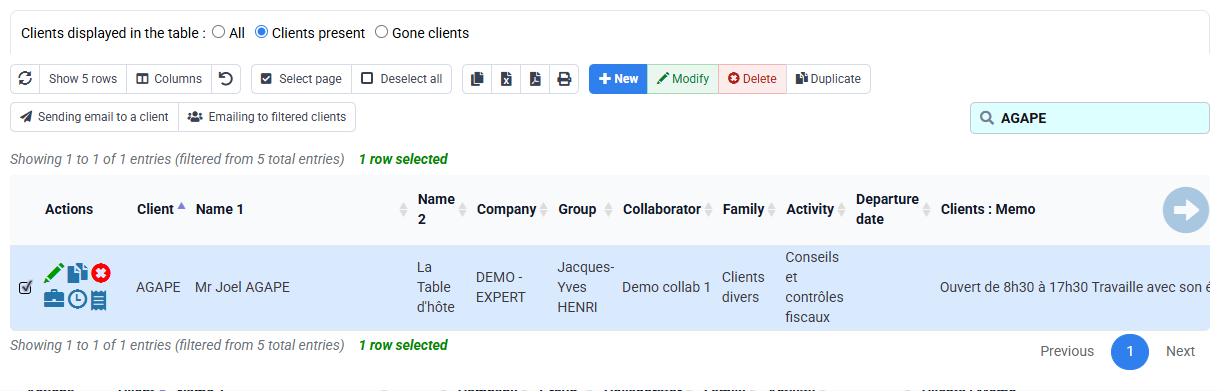
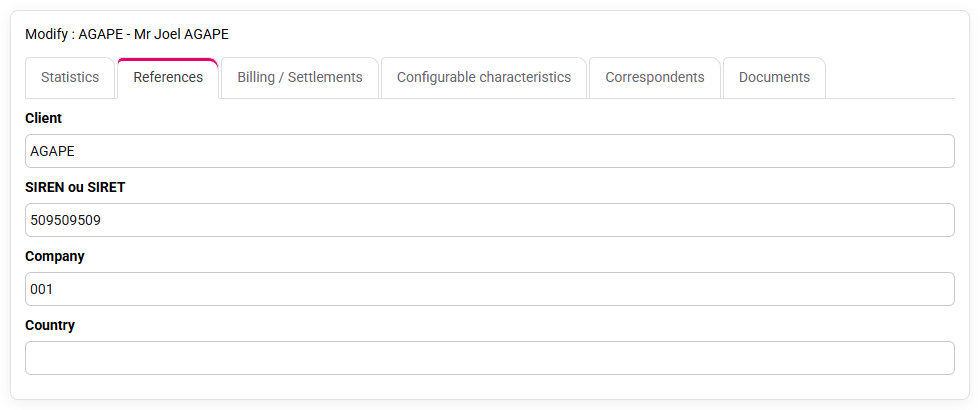
Open Clients / Matters > Clients. On your selected client check code, legal name, issuing company, country, address, identifiers, family, status, manager and contacts. Use controlled values for family and status so lists and reports remain comparable. A free-text note does not replace a structured field.
Search the list with the code and legal name, then reopen the record from the result. This proves that future users can find the client. The expected result is one unambiguous active client record, not several near-duplicates. If duplicates exist, stop and follow the data-governance process rather than merging them informally.
2. Complete billing and electronic-routing data
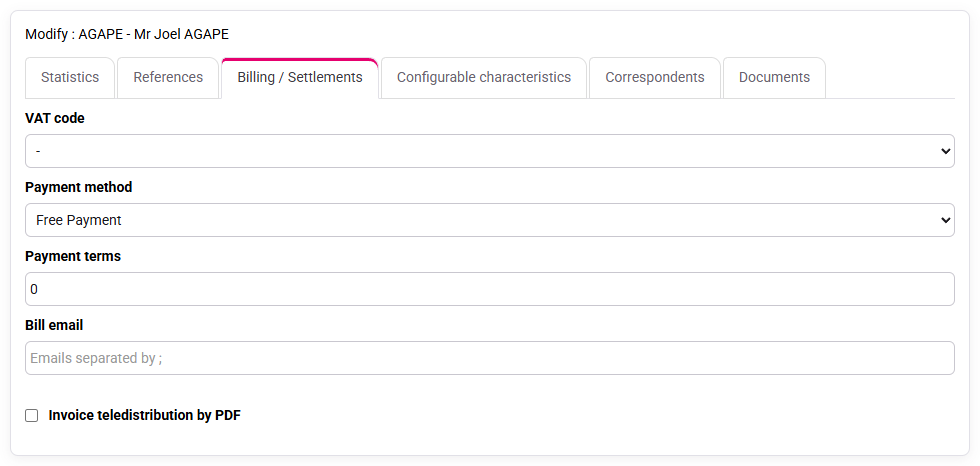
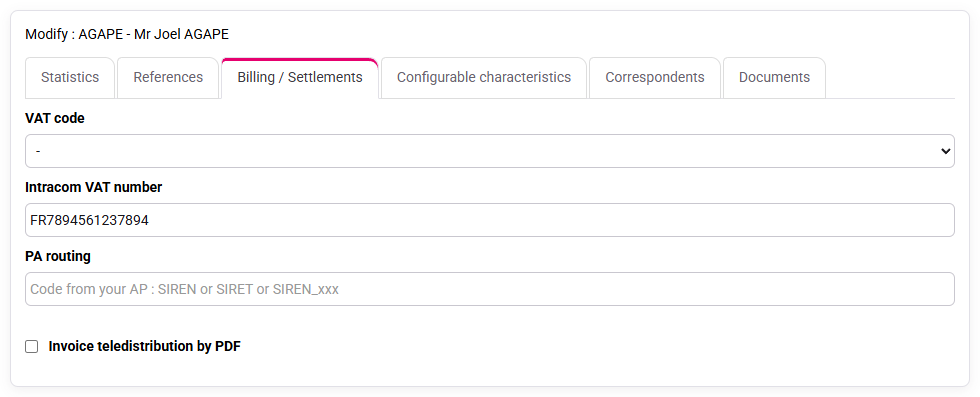
In the Billing tab, verify billing name and address, email recipient, payment terms, invoice model, language and VAT context. In PA/eReporting, verify mandatory identifiers and routing attributes. These fields may be invisible during operational entry yet later block issuance or electronic transmission.
Compare each value with the supplied source rather than guessing it. Mark missing data as an explicit action with an owner and due date. The expected result is that the selected client can reach invoice preparation without a known identity or routing gap. Do not copy identifiers from a similar client.
Check company identifier, intra-community VAT number, VAT code, payment terms, billing email and PA routing in your client record. A “-”, zero terms or a blank field needs an owner and source document before invoicing.
3. Give the matter a precise operational scope
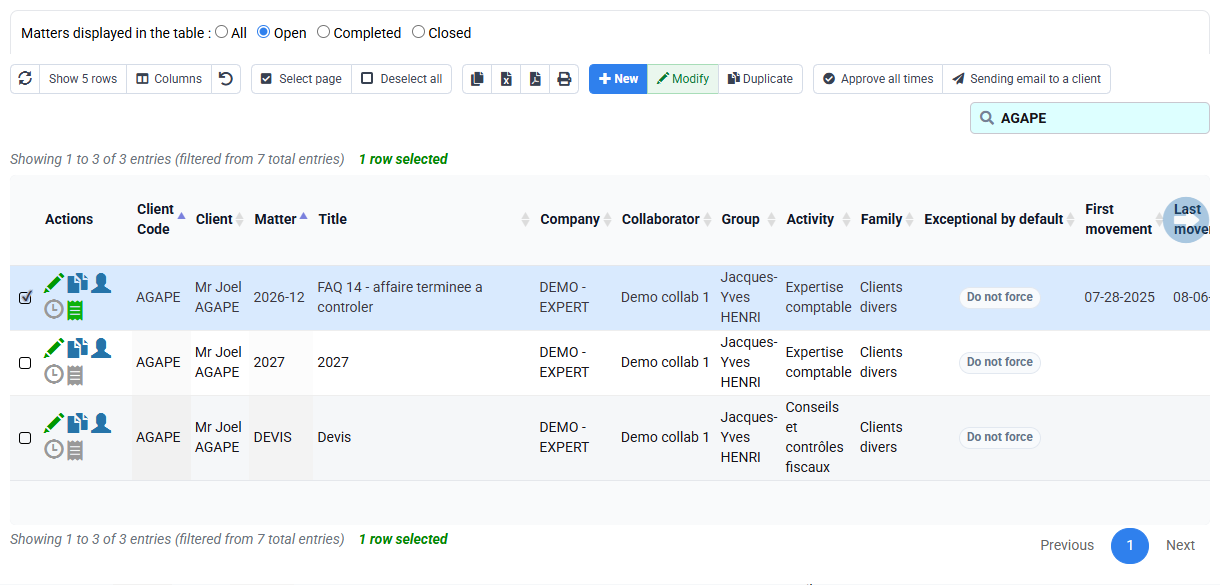
Open Matters and locate the selected matter. The matter should carry the client, issuing company, activity, status, start and end context, managers and any billing reference. Its code must be stable and meaningful enough to distinguish the year and engagement.
Ask a practical question for every field: will it route work, control access, filter a report, feed billing or document responsibility? Information shared by every engagement remains on the client; information specific to this mission belongs on the matter. This prevents a later change to one engagement from corrupting every file for that client.
4. Turn recurring obligations into dated, accountable actions
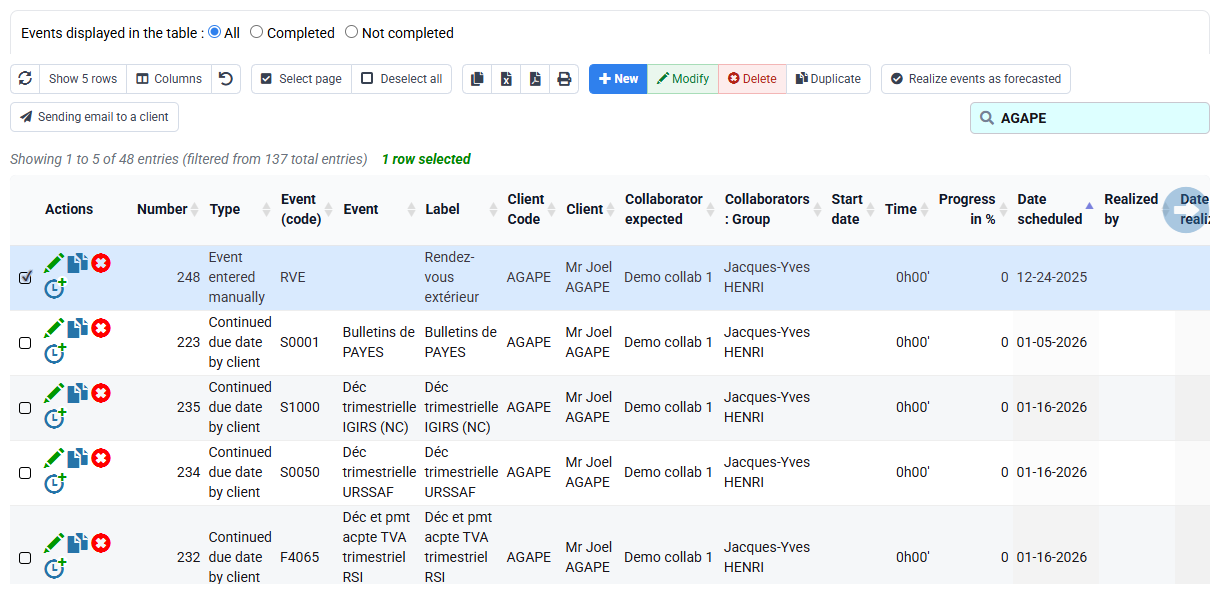
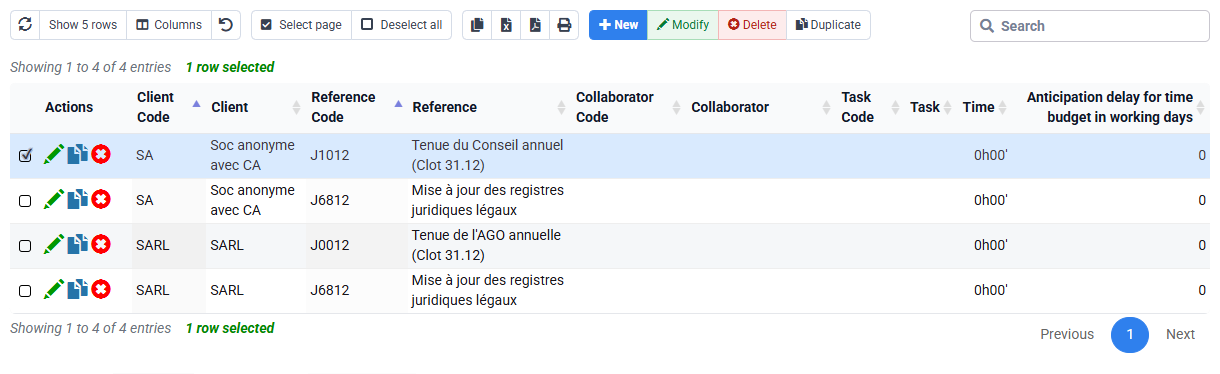
Open Events and Permanent deadlines. A permanent deadline is a model for recurring obligations; an event is the concrete occurrence to perform. Define frequency, next date, responsible person, client or matter link and expected evidence. An undated note is not a controlled action.
Use client and matter types only when they genuinely standardise a population. Review the generated event: it must refer to the selected matter, carry a responsible person and make the next action understandable. If the event is on the client only when it concerns one matter, correct the ownership before teams start working.
5. Generate the engagement letter from controlled sources
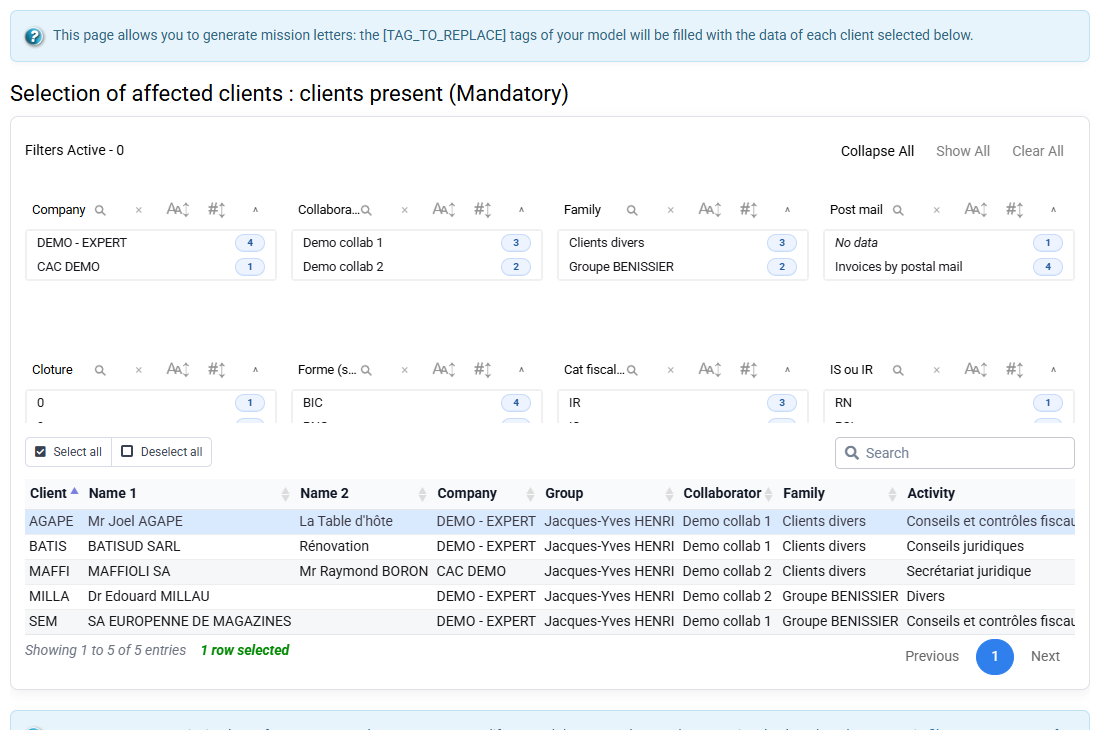
Open Engagement letters. Select the approved template, your issuing company, client and matter. Verify contacts, addresses, dates, scope, periodicity and amounts before generation. Then read the generated document as a client would: merged fields must be correct and the described service must match the operational matter.
Do not repair a wrong merged value only inside the document. Correct the client, matter or template source, regenerate and keep the document linked to the correct file. This preserves consistency for later budgets and renewals. The signed engagement is the commercial reference, while the Tempolia records organise execution.
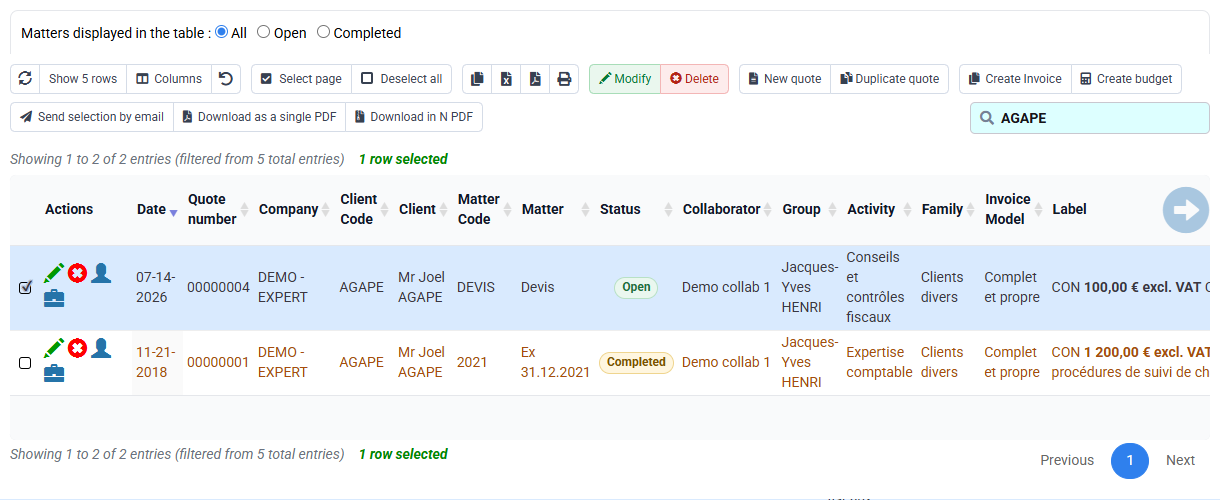
6. Test the file in budget, actual work and customer follow-up
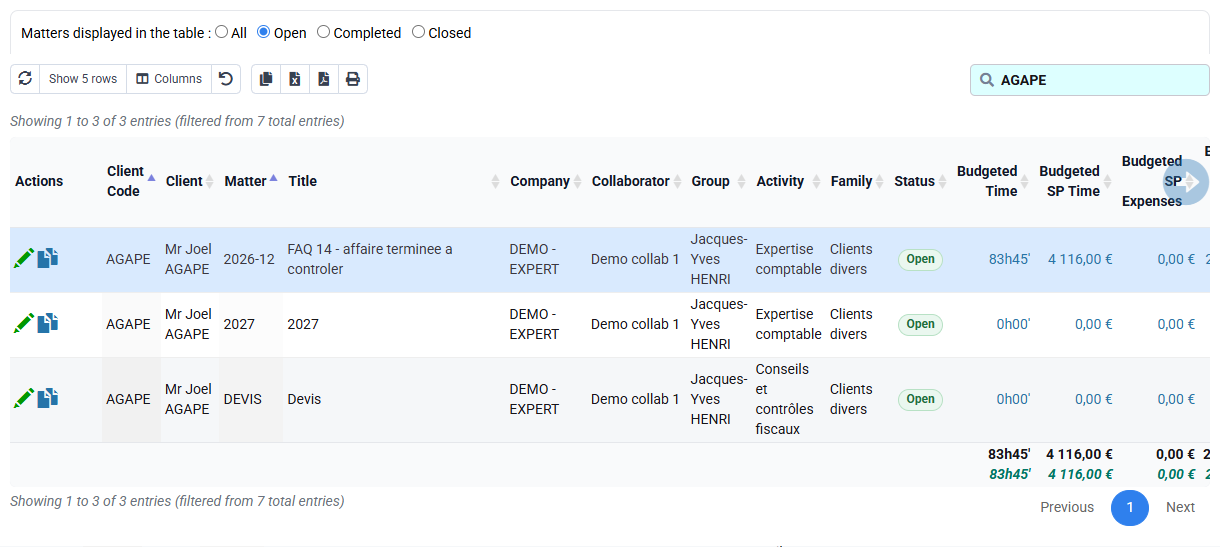
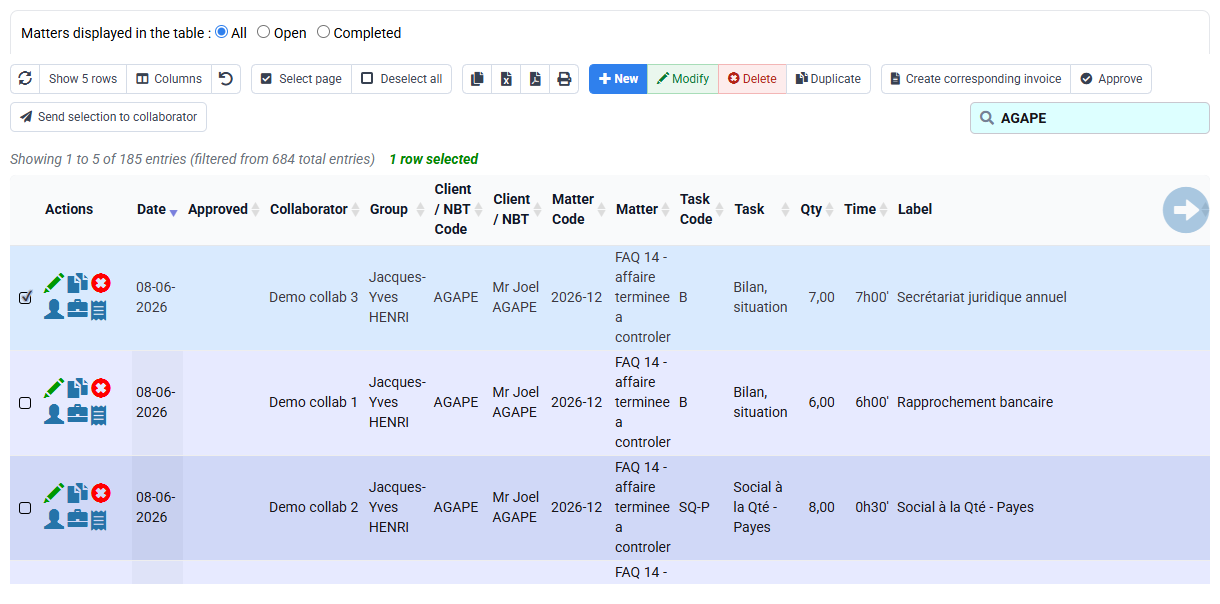
Open the matter budget and confirm the selected matter appears with the intended client, activity and managers. Then check that the matter can be selected in time and expense entry, and that the billing and customer-account views use the same identity. This is an acceptance test, not an invitation to issue an invoice.
The expected result is a continuous path: engagement → budget → time/expenses → invoice preparation → issued invoice → payment/reminder. If one screen cannot find the matter, inspect active status, dates, company, rights and filters. If a downstream screen shows another client identity, return to the source rather than adding a local workaround.
Hands-on completeness review
- 1. Place each supplied datum under client, matter, event or contract before opening Tempolia.Every datum has one clear owner and no identifier is guessed.If not, ask whether the value is shared, mission-specific, dated or contractual.
- 2. Search for your client, review the identity and billing tabs, then open the selected matter and its managers.One searchable client and one operationally precise matter are ready.If not, investigate duplicates, inactive status, company and missing source evidence.
- 3. Link a permanent deadline to a dated event with manager and expected evidence.The next obligation is visible, dated and attributable.If not, review frequency, generation date and client/matter ownership.
- 4. Preview the letter and test matter selection in budget and time without issuing anything.Contractual wording and operational data describe the same engagement.If not, correct the source record or template, regenerate, then retest.
Frequent structural errors
- Creating a new client when a differently spelled record already exists.
- Putting mission-specific information on the client and affecting every matter.
- Creating recurring deadlines without manager, date or evidence.
- Editing merged text instead of correcting its controlled source.
- Starting time entry before the matter has stable ownership and status.
Step back
A complete file is not administrative overhead. It is the control system that lets work, obligations, contract, budget, billing and follow-up describe the same engagement. Completeness is proven downstream, not by counting filled fields.
Build a second customer file
Choose another test customer and write its data card before creating anything. Keep the read-only route separate from work on an authorised test database.
- 1. Before opening Tempolia, write down identity, tax number, billing email, responsible person, matter code, next event and engagement terms.
- 2. Check each item at its owner: customer, matter, event or engagement. Reopen every record after saving on the test database and compare it with the data card.
- 3. Introduce one controlled problem: duplicate customer, invisible matter, missing recurring event or empty merge field. Correct the source record, then regenerate only the affected result.
- 4. Close every tab and repeat the route from your notes. Then give the notes to a colleague and let that person perform the same read-only check without oral help.