

Bill actual time and expenses
Objective. Invoice approved time and expenses accurately using the appropriate rates, billable rules and level of detail while ensuring that every source entry is billed once only.
Your data before starting
Choose a customer, matter and period from your subscription that you are authorised to use. Identify two billable time entries, one rechargeable expense, one non-rechargeable expense and one internal activity, or prepare those five rows in an authorised training scope. Before calculating, record tasks, sales codes, rates, the one-character VAT code and billing states.
What you will learn
- Configure hourly selling rates, expense resale rules and matter-specific exceptions.
- Select the correct billable time and expenses for a defined period.
- Present detailed or grouped supporting information without altering the source data.
Recommended workflow
- Check task and expense codes, employee rates, matter-specific prices and the client’s billing settings.
- Approve the source entries and verify dates, descriptions, quantities, receipts and billable status.
- Prepare the invoice for the selected client, matter and period and review the included entries.
- Validate the draft, check the detail or appendix and confirm that only the selected entries are marked as invoiced.
Before continuing
- Cost, reimbursement amount and selling price are not confused.
- Non-billable, already invoiced or out-of-period entries are excluded.
- Grouped invoice lines remain reconcilable with the underlying time and expense entries.
Prerequisites and billing vocabulary
Use a exercise matter with five controlled entries in one period: 2 hours of bookkeeping at €110 = €220, 1 hour 30 minutes of review at €130 = €195, a €96 rechargeable travel expense, a €42 non-rechargeable taxi, and 45 minutes of non-billable internal work. The first expected draft contains €415 of time and €96 of expenses, or €511 excluding VAT.
Before preparing anything, verify sales codes, billable tasks, employee/matter rates, expense types, VAT rules and billing status. Distinguish four notions: an actual entry records work or cost; an eligible entry satisfies billing rules; a selected entry is included in the calculation; a presented line is how its source appears on the invoice. Changing presentation must never falsify the actual.
From completed work to the invoice draft
- 10 min: review valuation and eligibility rules.
- 20 min: inspect the five actual entries and their sources.
- 20 min: prepare and explain the €511 draft.
- 20 min: remove the €96 expense, recalculate and reconcile.
- 10 min: distinguish actual, eligible, selected and presented data.
The deliberate discrepancy is the travel expense: initially eligible and selected, it is then removed from the draft for a documented commercial decision. The taxi and internal time never enter the draft. Their continued presence in actual-data reports is correct and preserves the operational record.
Three source lines produce €511 initially. After removing only the €96 travel expense and recalculating, the draft totals €415. The expense still exists in actual expenses with a state explaining why it was not invoiced.
1Prove sales codes, tasks and rate sources
Path: Configuration > Sales codes, Billable tasks and Sales prices by employee and matter.
The sales code carries wording, account and VAT treatment. The task describes work and eligibility. The rate may come from employee, matter or historical settings according to configuration. For each sample line, write down the source explaining the amount before opening preparation.
Check the arithmetic independently: 2 × €110 = €220; 1.5 × €130 = €195. A zero rate or another customer’s price is a source issue. Do not overwrite the draft amount to conceal it.
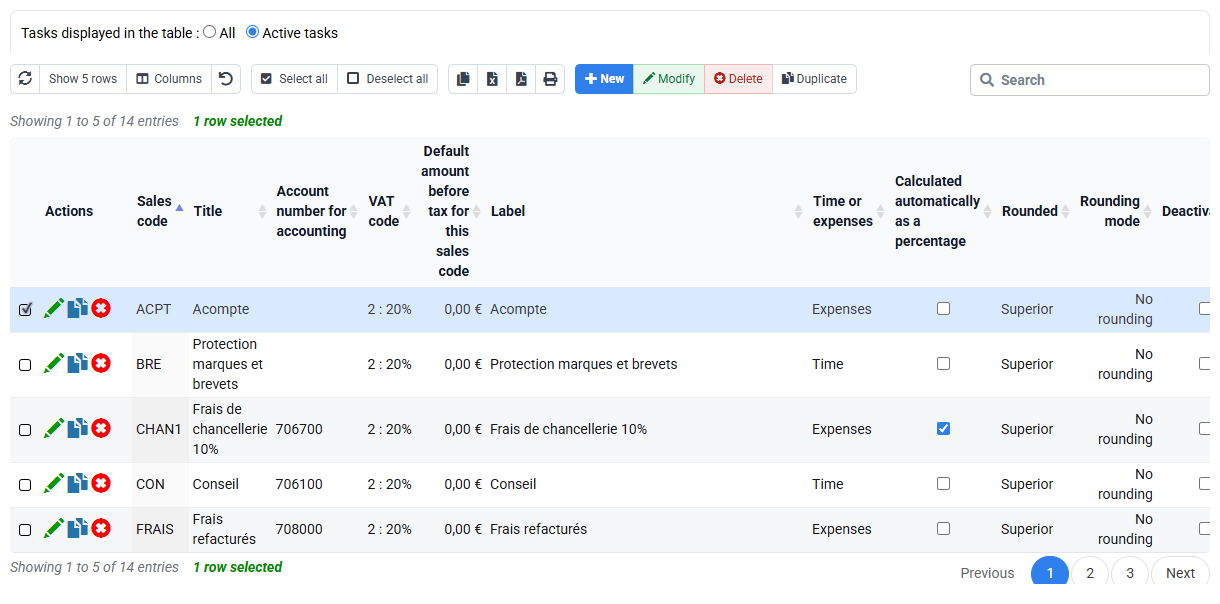
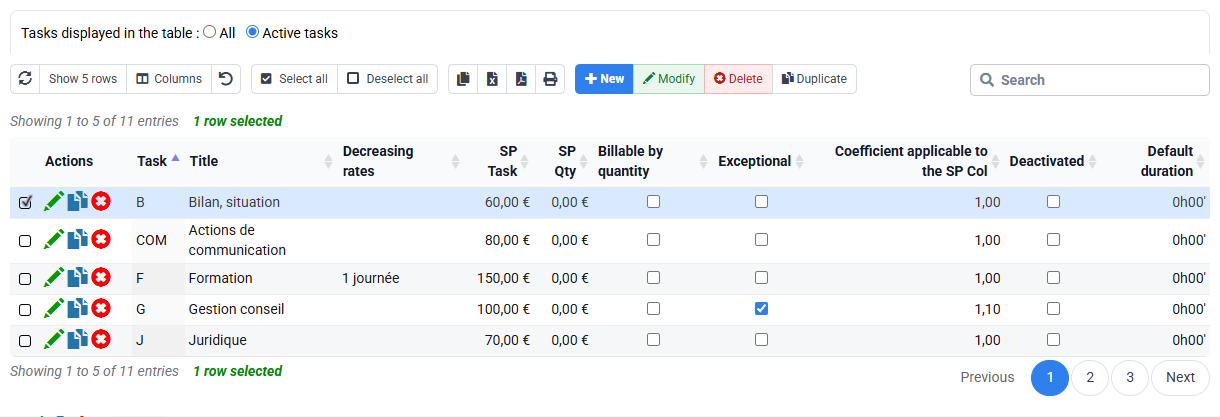
Both time amounts are reproduced from duration × authorised rate, and internal activity is excluded by its task rule rather than manual deletion.
2Control the five actual entries at source
Path: Time > Time detail and Expenses > Expense detail.
Filter the exact customer, matter and period. For time, verify employee, task, date, duration, wording, approval and billing state. For expenses, verify type, amount, receipt, VAT and recharge rule. Note all five lines before calculating so an empty or broad result cannot be mistaken for proof.
The €42 taxi remains actual but not rechargeable. The 45 internal minutes remain useful for cost analysis but non-billable. The €96 travel is eligible at this point. An already billed line must not be proposed again; investigate its document link rather than casually changing status.
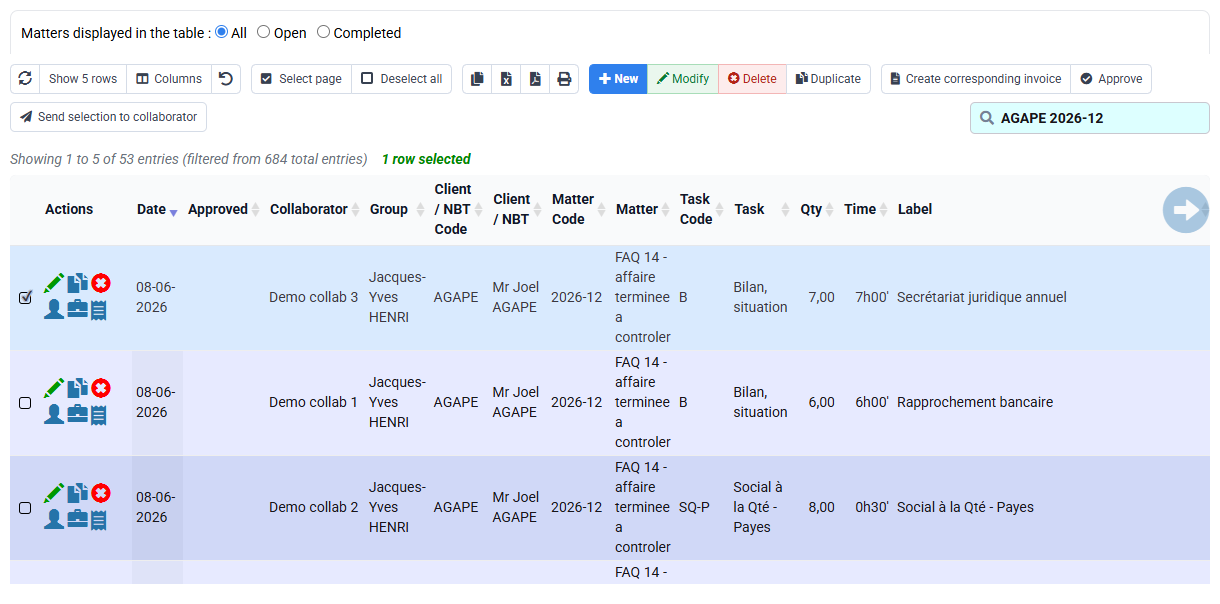
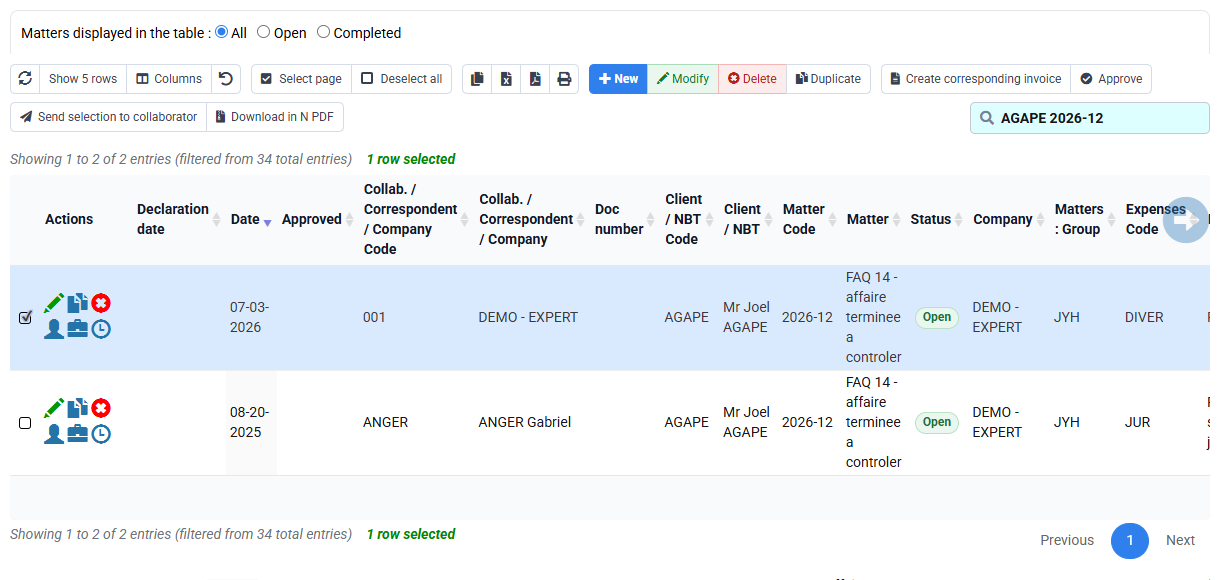
Five actual entries exist but only two time lines and one expense are eligible. If the count differs, inspect filters, approvals, rules, period and prior billing before calculation.
3Prepare, explain and recalculate the draft
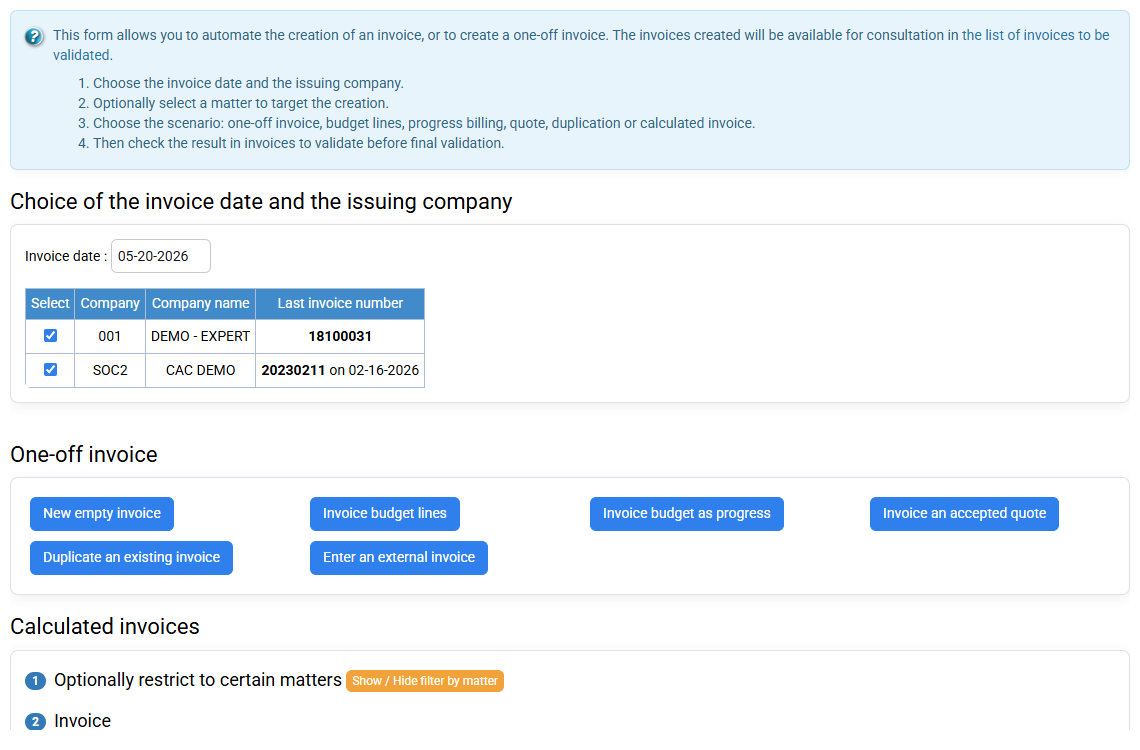
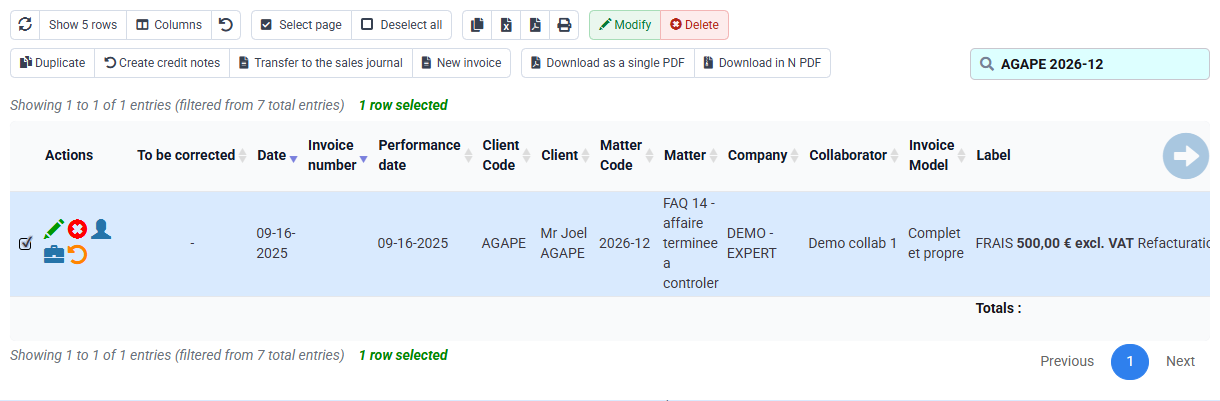
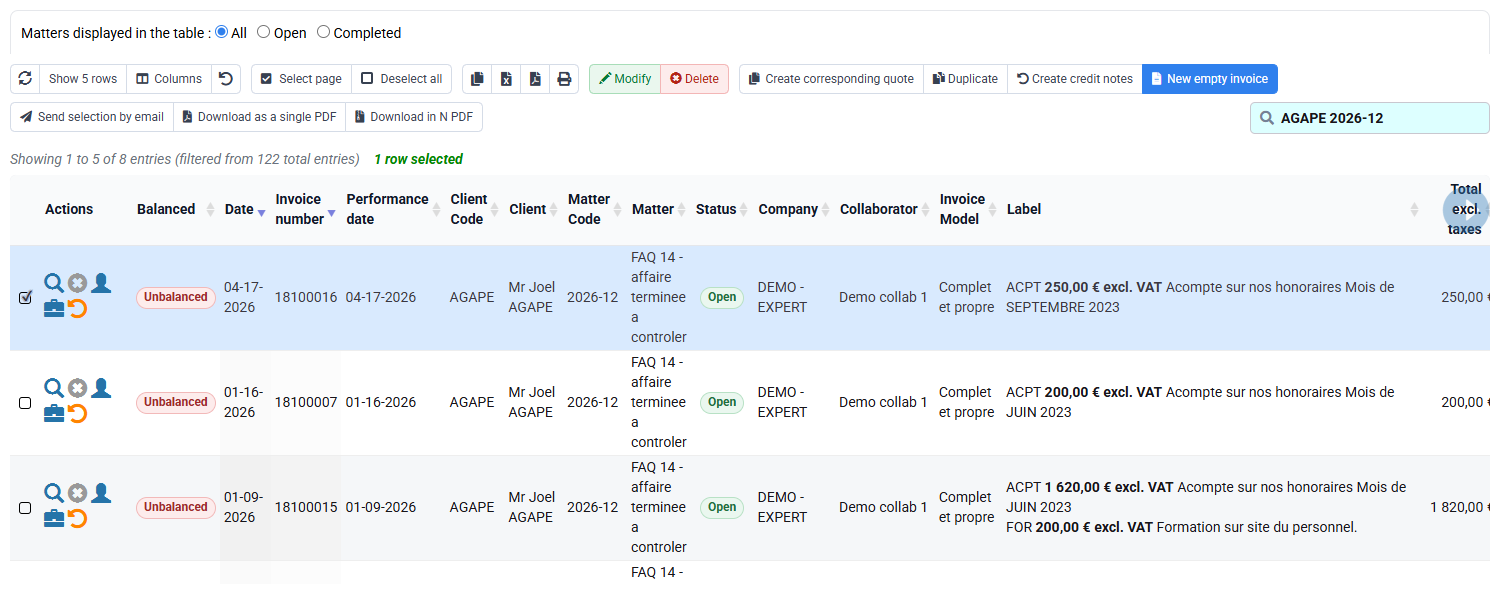
Path: Billing > Invoice preparation, then Invoices awaiting validation.
Limit preparation to the same matter and period. Before launching, predict €220 + €195 + €96 = €511. Open the draft and reconcile every displayed line. Then remove only the €96 expense, document the commercial reason and recalculate. Do not delete the expense record.
The recalculated €415 is not evidence that €96 never occurred. Reports still show it among actual expenses, not invoiced. If the total remains €511 or becomes €319, check whether the right line was removed and whether calculation actually refreshed.
4Control presentation and traceability
Path: Billing > Invoice templates, issued invoices and Tools > Reports / Editions.
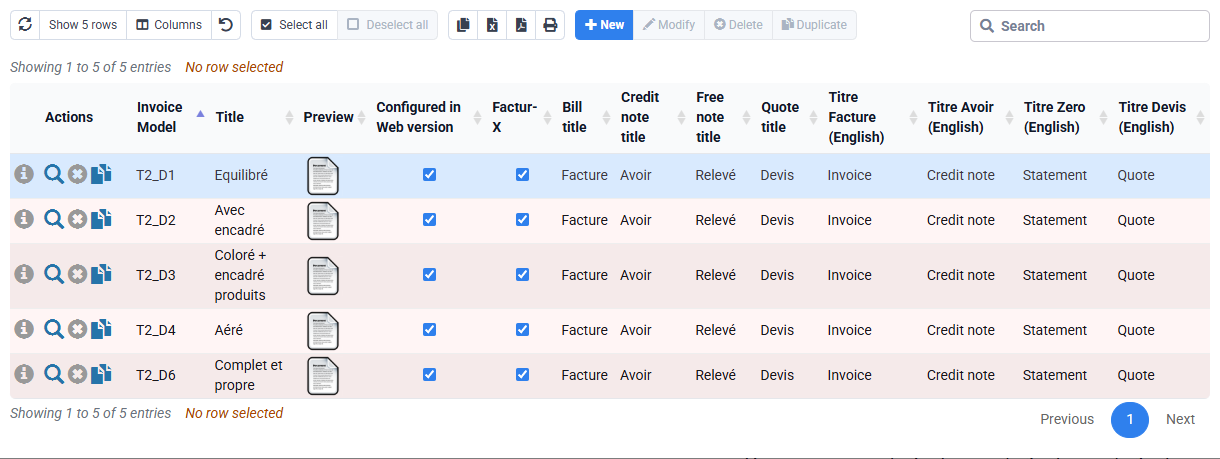
The template determines whether detail is grouped by task, employee or period. Choose readable presentation without erasing source meaning. The journal later proves the issued document and consumes lines through normal workflow. Reports reconcile actual, eligible, selected and invoiced values.
Hands-on reconciliation
- Classify every source. Mark actual, eligible and expected selection before calculation.
Five actual entries, three eligible, two excluded at source; predicted amount €511.
- Reconcile the first draft. Link €220, €195 and €96 to sources.
Every euro of €511 is explained; taxi and internal time are absent for documented rules.
- Remove and recalculate. Exclude only €96 while preserving the actual expense.
The draft becomes €415 and the expense stays visible as not invoiced.
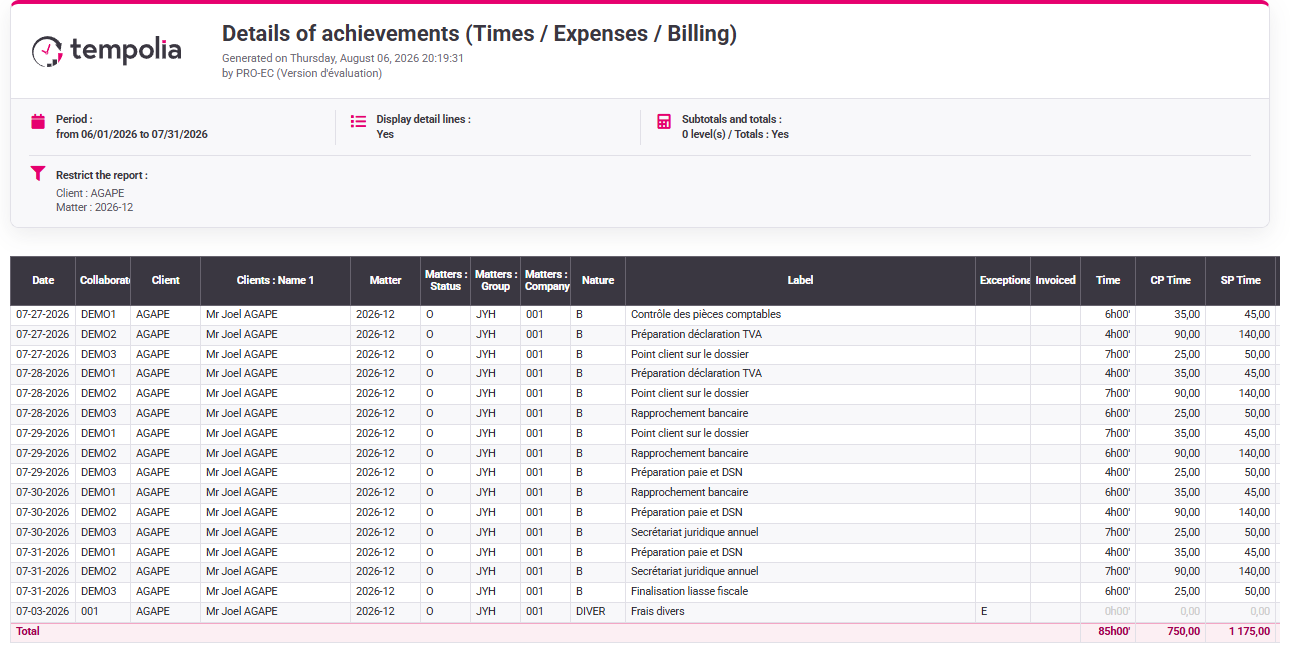
- Run the final report. Compare actual cost, billable value, selection and exclusions.
The report tells the complete story rather than making excluded work disappear.
Validation conditions for the 1 h 20 workshop
- The five training rows are created or identified in your Tempolia environment with visible customer, matter, period and states.
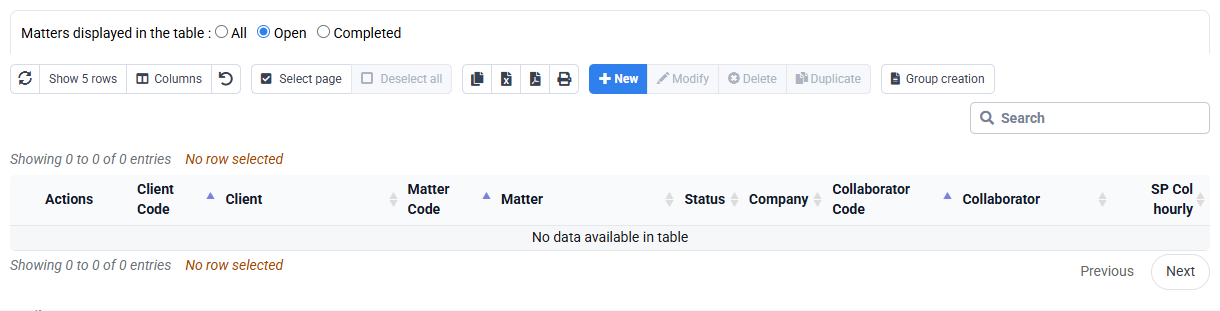
- A rate source proves €110 and €130; the empty your subscription table is a diagnostic, never positive evidence.
- The unissued draft shows €511 then €415, while the €96 expense remains traceable in actual entries.
- The final reconciliation explicitly separates the live 85 h / €1,175 your selected customer report from the training result.
If a rate, row or total is not visible in the correct scope, record “unproven”, fix the prerequisite and validate no invoice.
Errors to avoid
- Changing a rate in the draft to reach an agreed total.
- Making internal work billable only to balance the invoice.
- Deleting an expense because the customer will not be charged.
- Rebilling a line linked to an issued document.
- Confusing presentation grouping with a change to actual data.
- Issuing before €511 or €415 can be independently reproduced.
Step back
Time-and-expense billing transforms operational evidence into a commercial document. The essential control is the explainable chain actual entry → eligibility → rate → selection → presentation → issued document. Each link answers a different question.
The case shows why a non-invoiced line must not disappear. The €96 remains an actual cost after a commercial decision removes it from the draft. This preserves cost analysis and makes the margin decision visible.
- Correct duration, task, receipt or rate at its legitimate source.
- Use draft selection for commercial scope without rewriting history.
- Use reporting to reconcile operational and billed values.
- Stop before issue when a line, rate, VAT treatment or prior-billing state is unexplained.
You can predict, obtain and explain €511, intentionally obtain €415, and prove that all unbilled items remain traceable with the correct states.
Record and resolve rate or selection discrepancies
The current your subscription employee/matter price table is empty. This means that no optional override is configured in that table; it is not evidence that the applicable rates are €110 and €130. Before running the numerical workshop on a prepared scope in your subscription, identify the default, matter, employee or historical source that actually resolves each rate and record its effective period.
For each of the five entries, keep a one-line audit record: source date, task or expense type, quantity or duration, source rate, eligibility rule, prior-billing state, draft selection and final treatment. Use the record to diagnose differences systematically. A €415 initial draft means the €96 expense was already excluded; €511 after intended removal means recalculation did not occur; €457 could mean the €42 taxi was wrongly selected; €553 may mean both expenses were included. Never correct those symptoms by overwriting the total. Return to the row, rule or selection that explains the variance.
The exercise is complete only when a second reviewer can rebuild the two totals from that worksheet without opening the draft. This makes the control reusable for any time-and-expense matter, even when rates and expense rules differ from the training values.