


Bill production by quantity and import data from Silae
Objective. Measure production in units, apply the correct matter-specific unit price, import Silae production in a controlled manner and invoice only the validated quantities.
Your data before starting
Choose a customer, an open matter, a quantity-billable task and a period not yet imported from your subscription. Record your own reconciliation key, sales code, one-character VAT code and applicable unit price. Use Silae only when your subscription connector is configured; otherwise follow the CSV or manual-entry route described in the training.
What you will learn
- Configure billable tasks and selling prices by quantity.
- Record quantities manually or import production while preserving the source period and references.
- Analyse both the billed amount and the time spent per unit.
Recommended workflow
- Define the unit, task, sales code, default price and any matter-specific price before recording production.
- For a Silae import, verify client mapping, period, employee assignment and task correspondence.
- Review imported or entered quantities, rejected rows and possible duplicates before approval.
- Prepare the invoice, verify quantity multiplied by unit price and confirm that unselected units remain available.
Before continuing
- Quantity and duration are stored as distinct measures.
- The applicable unit price comes from the intended matter and effective period.
- The import is reconciled with Silae totals and does not repeat a previously processed period.
Prerequisites and unit-based logic
Run imports, three-row entry and draft preparation only in an authorised training scope in your subscription. In your subscription, do not submit any simulation and keep the separate checked data read-only. Use a exercise matter whose production task is billed by quantity. The guided example contains 12 payroll units at €25 each, so the invoice basis is €300 excluding VAT. The operator spent 3 hours, giving a productivity indicator of 15 minutes per unit. Quantity determines the sale; duration remains a distinct operational measure.
Prepare three source rows of 5, 4 and 3 units for the same customer, matter and period. Verify the billable task, sales code, matter-specific unit price, assigned employee and unique source reference. The sum 5 + 4 + 3 = 12 and the source period form the independent control before any import.
Twelve units to bill
- 10 min: define unit, task, price and control totals.
- 15 min: verify Silae mapping or the approved alternative.
- 20 min: import or enter 5 + 4 + 3 units and review rejects.
- 20 min: prepare the €300 draft and analyse 15 minutes per unit.
- 10 min: test duplicate prevention and reconcile the period.
The exercise uses exactly one path: a real Silae preview when the integration is active, otherwise the approved generic/manual entry. Do not mix both paths for the same period. No final invoice is issued.
Three production rows total 12 units and 3 hours; the draft calculation is 12 × €25 = €300 excluding VAT; productivity is 180 minutes ÷ 12 = 15 minutes per unit; replaying the same source references is detected or refused.
1Configure the production unit and price
Path: Configuration > Billable tasks, then the quantity price settings for the matter.
Name the unit so that a user knows what to count: payroll produced, document processed or another stable deliverable. Link the task to the intended sales code. Define €25 on the matter and period used by the case; check whether another default or historical price could take precedence.
Do not use hours as an indirect quantity. Three hours measures effort, while twelve units measure output. Both may coexist on the source row, enabling amount and productivity analysis without one overwriting the other.
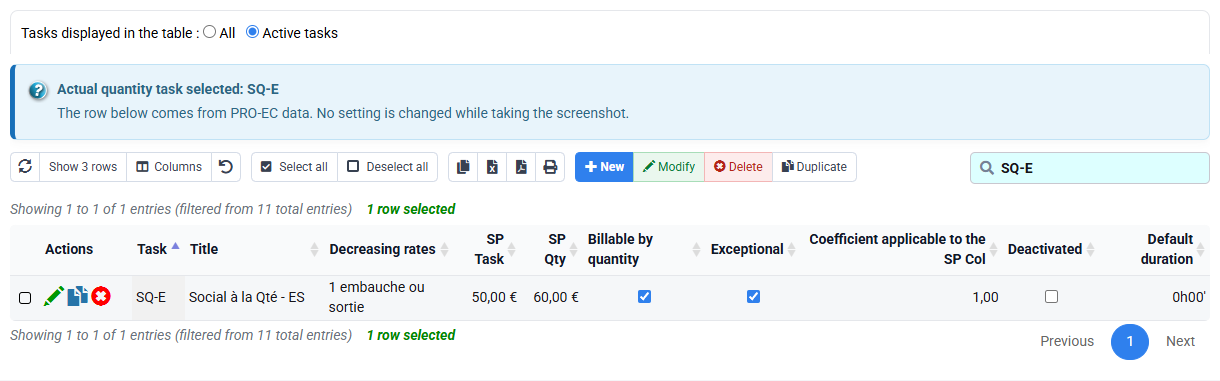
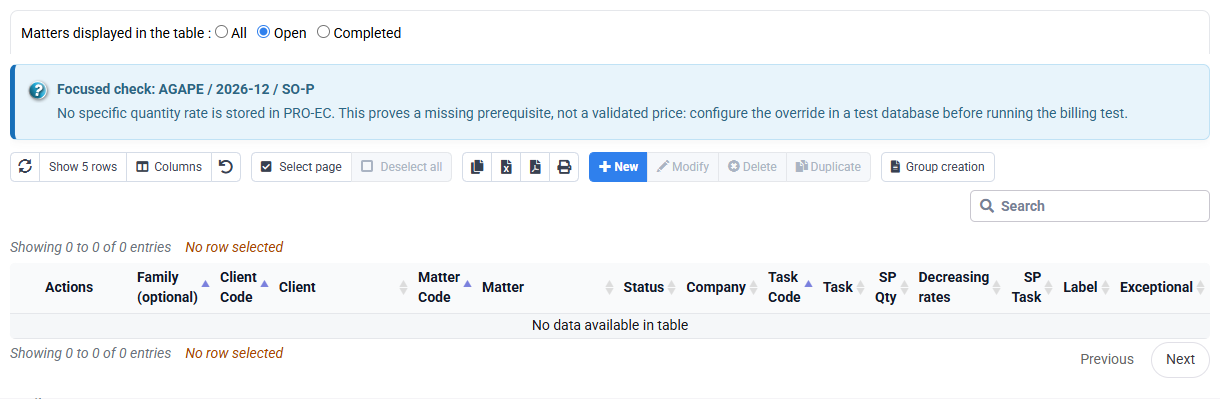
Tempolia can explain the unit, sales code and €25 price from configured sources. A zero or unexpected price is corrected in the reference data, not overwritten in the draft.
2Choose and secure the acquisition path
Path: Silae production import when the connector is enabled; otherwise Time > Time editor or the approved generic import.
For Silae, map the external customer, period, employee and activity to one Tempolia customer, matter and task. Review the import preview and rejected rows before writing. Keep the external row identifier or a stable composite reference to prevent the same production period from being imported twice.
If the connector is unavailable, reproduce the source through three controlled rows: 5 units, 4 units and 3 units, with durations summing to three hours. Record that the alternative path was used. The disabled-integration message proves only that Silae is unavailable; it proves neither mappings, quantities nor duplicate controls.
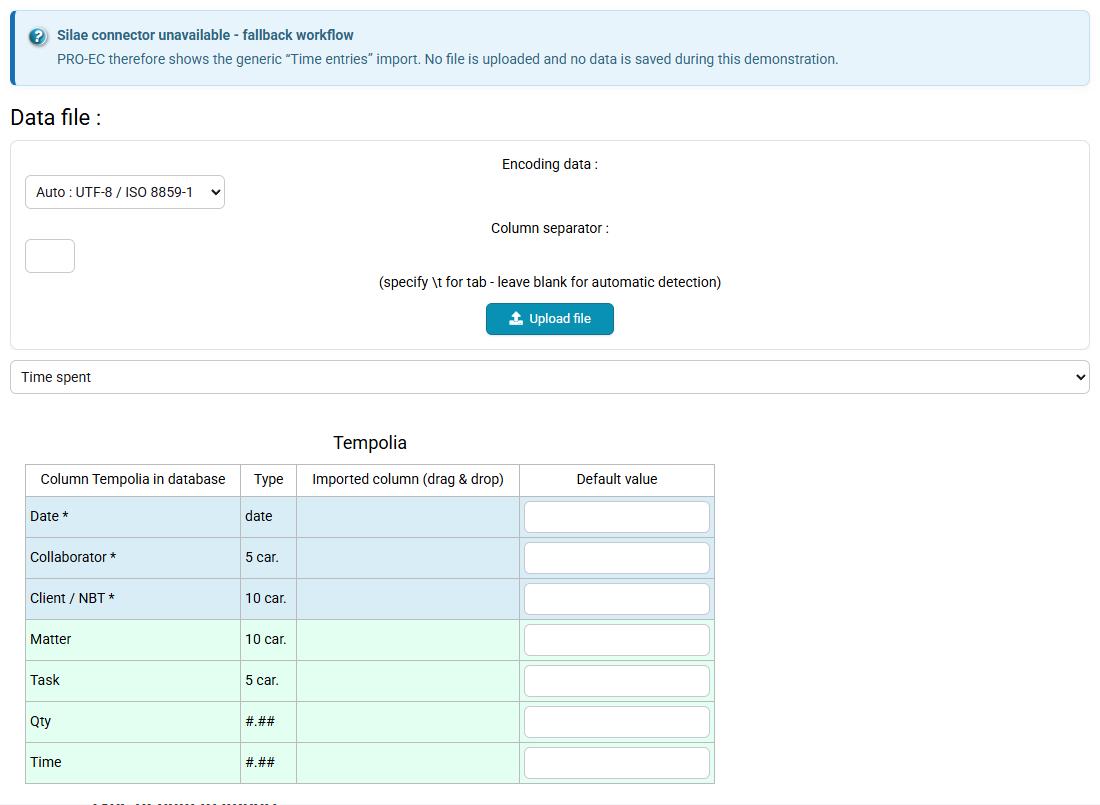
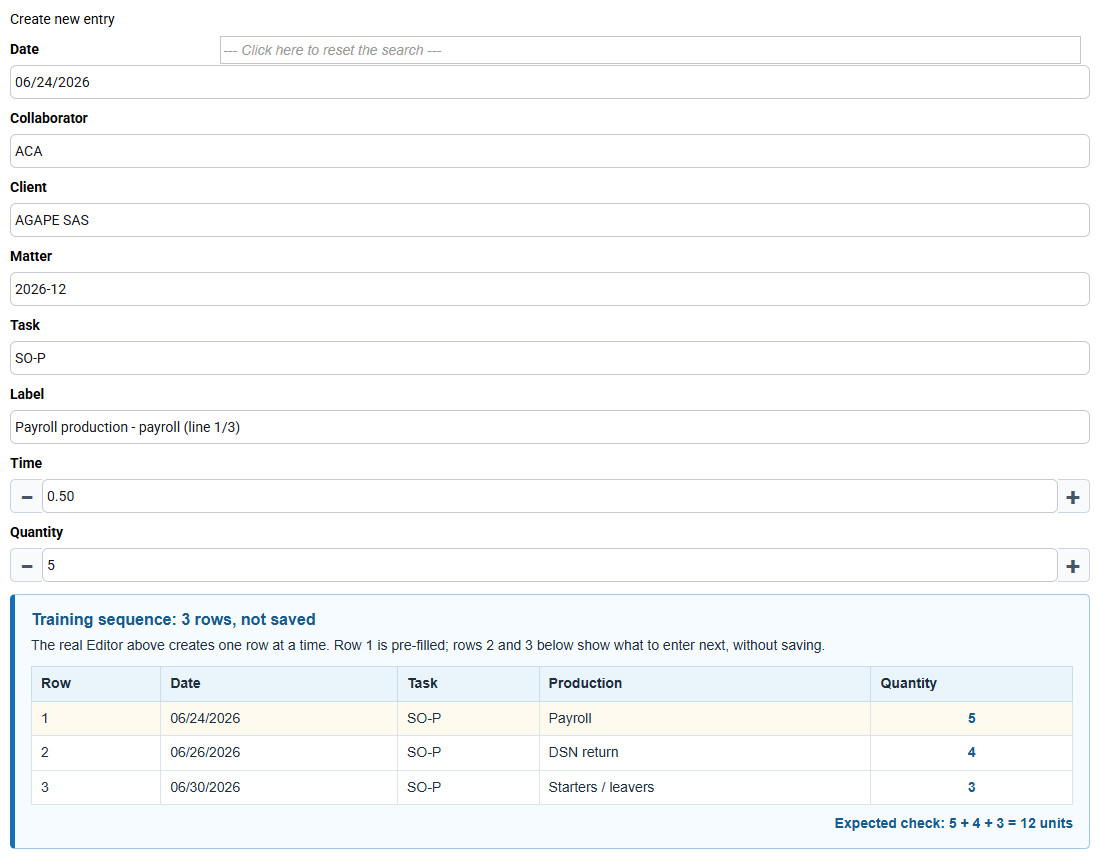
One documented acquisition path creates exactly three rows with stable source references. Reusing the same file, period and identifiers must not silently create six rows.
3Reconcile production and productivity
Path: Time > Time detail.
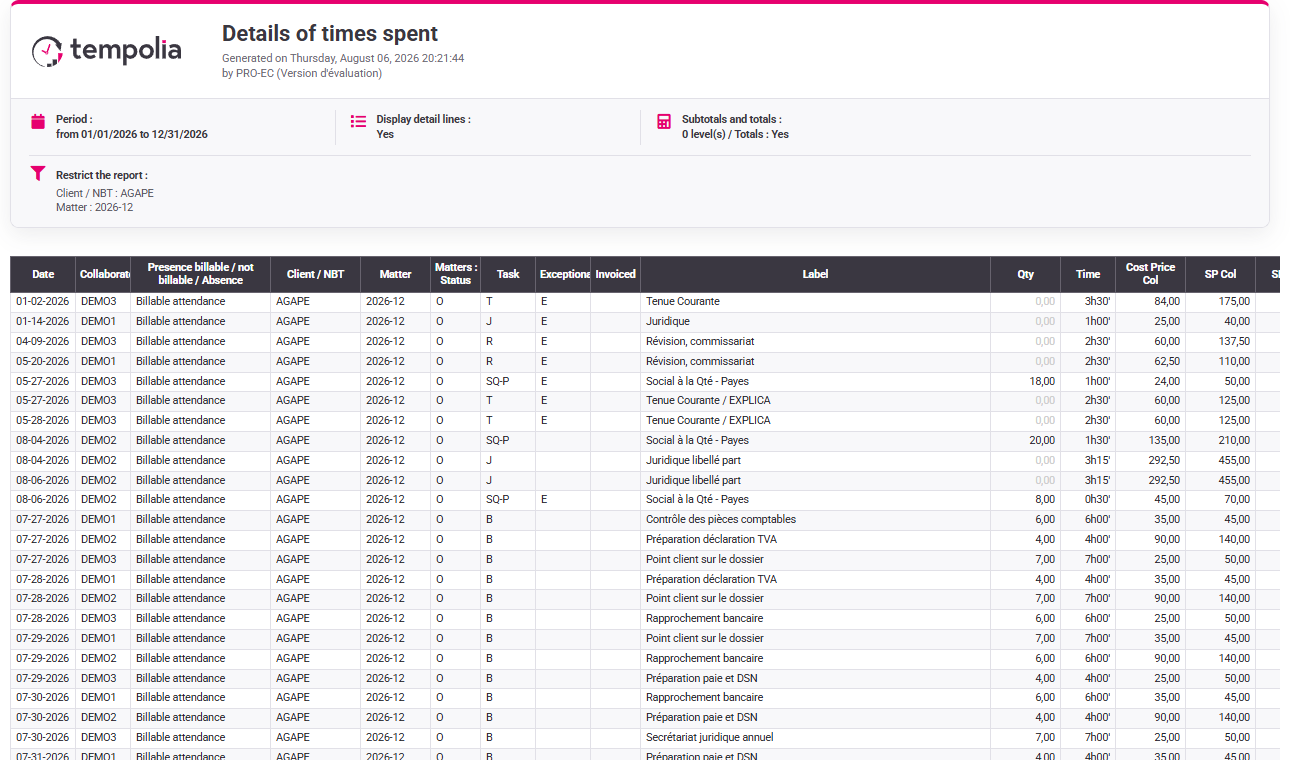
Filter the running customer, matter and period. Verify each row’s task, employee, quantity, duration, source reference, approval and billing status. Sum quantities before considering money: 5 + 4 + 3 = 12. Then sum duration: 180 minutes. Divide duration by output only after both totals are controlled.
Fifteen minutes per unit is an analysis indicator, not a billing price. A faster or slower month does not automatically change the agreed €25 unit price. If totals differ from the source, inspect rejected rows, mapping, period, rounding and duplicate identifiers before editing data.
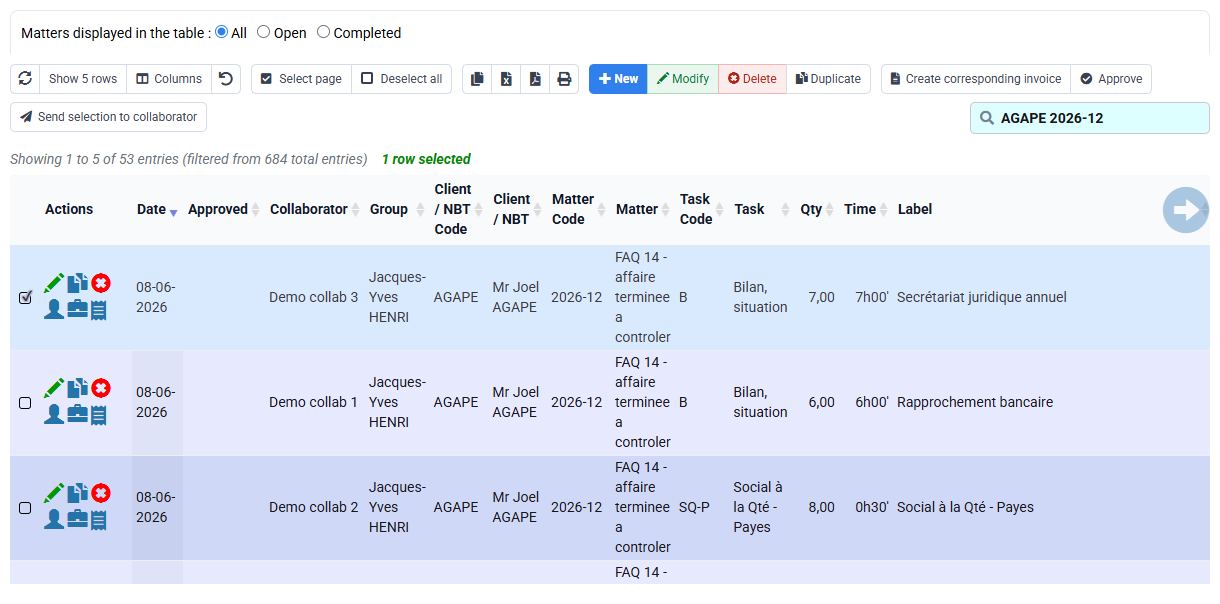
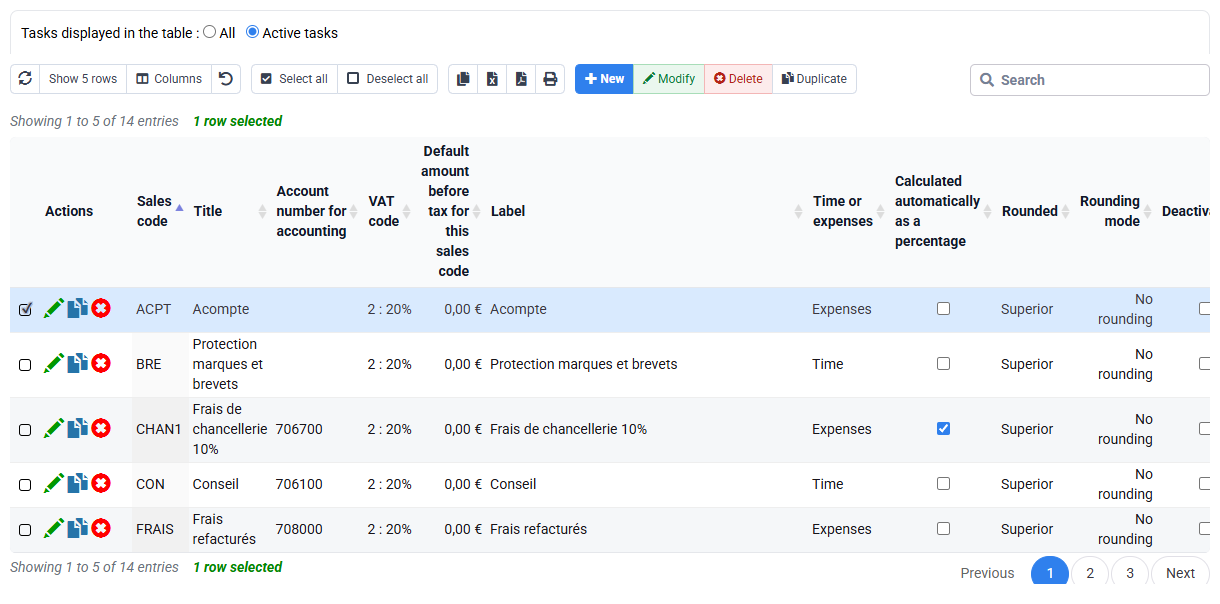
Production equals 12 units, duration 180 minutes and productivity 15 minutes per unit. A result based on a generic or empty list is rejected until scope and rows are visible.
4Prepare and control the €300 draft
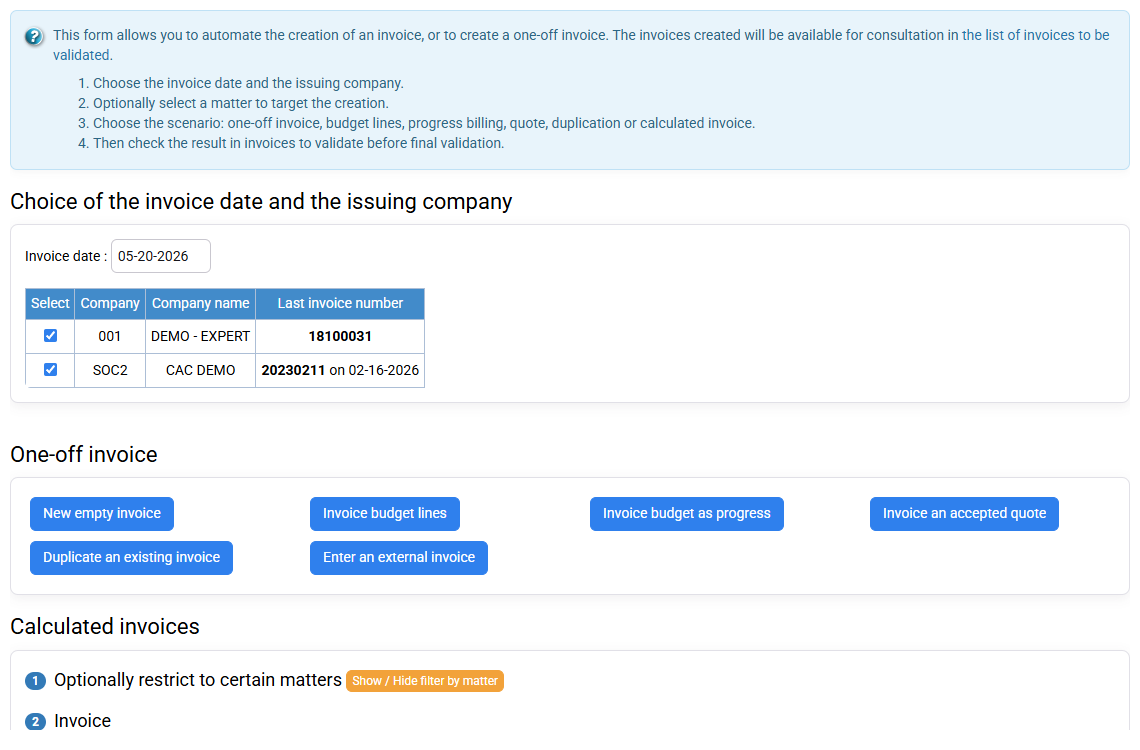
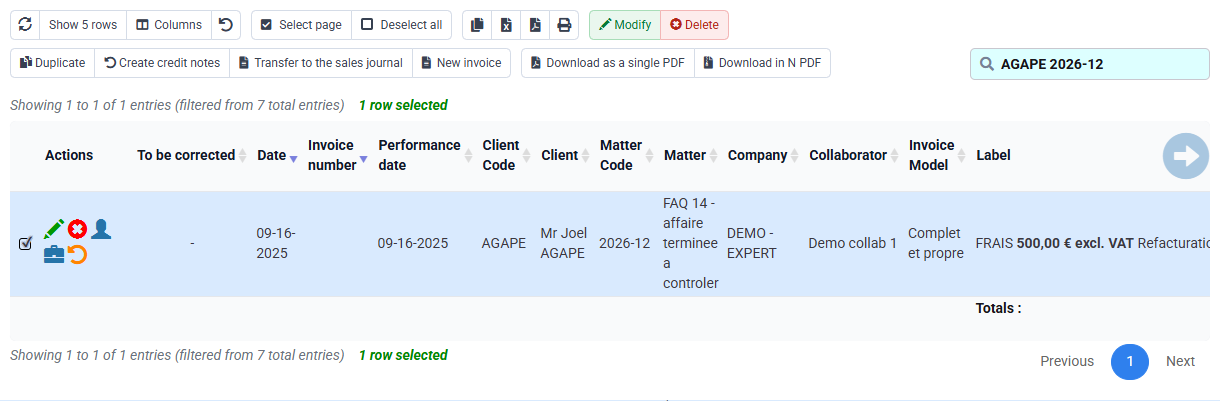
Path: Billing > Invoice preparation, then Invoices awaiting validation.
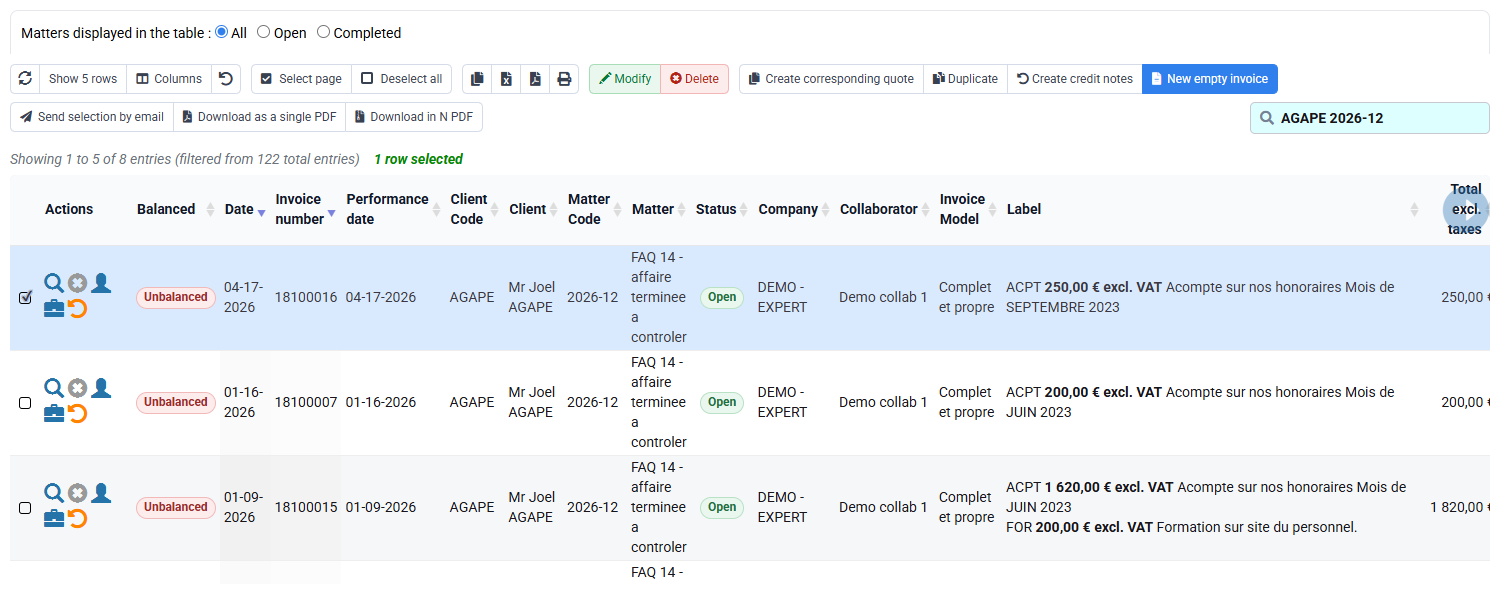
Limit preparation to the controlled matter and period. Predict 12 × €25 = €300 before calculating. Open the draft and verify quantity, unit price, wording, VAT and source rows. If €75 appears, only one three-unit row may have been selected; €600 suggests duplicate production; an amount based on hours indicates the wrong billing rule.
Stop before issue. After authorised issue in a real flow, the journal and reports must show the final document and prevent the same units from being selected again.
Hands-on duplicate and amount checks
- Control the source. List the three external or manual references with 5, 4 and 3 units.
Three unique rows total 12 units and 180 minutes.
- Control the acquisition. Review mappings, preview and rejects, or document the alternative path.
A disabled Silae alert is recorded as a blocker, never as proof. Every loaded row has a Tempolia destination.
- Control the draft. Rebuild quantity × unit price and link the three rows.
€300, independent of the three-hour duration.
- Test replay safely. Re-present the same identifiers in preview without confirming.
Duplicates are flagged or excluded; the controlled total remains 12 rather than 24.
Validation conditions for the 1 h 15 workshop
- SO-P is genuinely quantity-billable and a justified price rule produces €25; otherwise the empty table is a blocking prerequisite.
- The controlled file or entry produces three rows of 5, 4 and 3, totalling 12 units and 3 h, without confusing the live your selected customer table with this case.
- A real import preview shows file, mappings and rejects; the fileless generic fallback does not validate Silae.
- The unissued draft shows 12 × €25 = €300 and the report finds exactly the three sources.
If the connector, price, mappings or three rows are missing, classify the step as “unproven” and do not prepare the invoice.
Errors to avoid
- Calling an integration-disabled alert a successful Silae import.
- Mixing manual and imported rows for the same production period.
- Using duration as quantity or unit price as an hourly rate.
- Ignoring rejected rows or mapping one external customer to the wrong matter.
- Replaying a processed file without stable identifiers.
- Issuing before 12, €25, €300 and 15 minutes per unit reconcile.
Step back
Quantity billing separates output from effort. The customer buys twelve defined units at an agreed price; management may still analyse the three hours needed to produce them. Keeping both measures distinct protects the commercial rule and makes productivity visible.
An integration does not remove accountability. It adds a controlled chain: external source → mappings → preview and rejects → Tempolia rows → invoice selection → issued document. Every count must reconcile, and an unavailable connector is a blocker or a reason to use a documented alternative, not evidence.
- Define the unit and owner before collecting production.
- Control unique source references and periods before import.
- Use unit price for billing and duration for productivity analysis.
- Stop before issue when mapping, duplicates, quantity or price cannot be explained.
You can obtain and justify 12 units, €300 and 15 minutes per unit, detect a duplicate period, and accurately state whether the evidence comes from an active Silae integration or the approved alternative.
Check prerequisites and decide whether to continue
The your subscription quantity-price override table is empty: it only proves that no optional matter override is present, not that €25 is the applicable price. Identify the default or historical price source before expecting €300. Silae is not enabled on this base, so the valid practical route is the approved generic import or manual three-row entry. Record that choice explicitly and use source references such as PAY-01, PAY-02 and PAY-03. If neither a proven €25 price nor an authorised acquisition path exists, the correct outcome is to stop, not to manufacture the expected draft.