


Close matters, clients and employee records without losing traceability
Objective. Apply a non-destructive end-of-life process to matters, clients, employees and reference codes while preserving the operational, accounting, tax and audit history that must remain accessible.
Your data before starting
Choose one open matter from your subscription that you are authorised to inspect read-only and record it as your selected matter. Identify its customer, owner and at least one dependency to check: event, budget, time, expense, draft, invoice or payment. Also select one historic sales code and one historic expense code that are still referenced, for read-only review. Record the counts and dates returned by your own filters; only those results can support your decision.
What you will learn
- Distinguish ending or deactivating a record from destructive closure or deletion.
- Review dependencies before changing the status of a matter, client or employee.
- Understand the different purposes of history, backups, retention and NF525 tax archives.
Recommended workflow
- Inventory open events, deadlines, budgets, time, expenses, draft invoices, issued documents and payments linked to the record.
- Reassign future responsibilities and complete, correct or document outstanding transactions.
- Use an ended, departure or inactive status whenever it meets the business need and retains history.
- Before any destructive operation, follow the authorised retention, backup and, where applicable, NF525 archive procedure and record the decision.
Before continuing
- A filtered-out record is not assumed to have no dependencies.
- Issued invoices, payments and audit evidence remain accessible for the required retention period.
- A backup is not treated as a substitute for a tax archive or a documented retention procedure.
Prerequisites and non-destructive vocabulary
Work in read-only mode on the real exercise matter your selected matter. The preflight shows it as open and shows five linked events that are still uncompleted at 0%. Those five events are unresolved dependencies: they prove that the matter is not ready to end and must be assigned and treated alongside future budgets, time, expenses, drafts, issued invoices and payments.
End normally removes a completed matter from current entry while preserving history and allowing justified reopening. A departure date or inactive/NPU marker has the same non-destructive intention for customers, employees and reference codes. Destructive closure, deletion, purge or restoration changes available evidence and requires separate authority and procedure.
Make the decision without changing data
You are assessing whether your selected matter can eventually be marked Ended. Start from the observable facts—open matter and five uncompleted events at 0%—then search every dependency area with the same code, company and period. For each dependency type record filters, count, latest date, state, owner and proposed action. An empty result is provisional until access rights and scope are checked.
Also rehearse the departure of the responsible employee and the future retirement of two example historical codes, your selected sales code and your selected expense code, without saving. If those codes do not exist, identify equivalent used test codes but do not alter them.
- 10 min: distinguish ending, dating, deactivating, closing and deleting.
- 20 min: inventory the matter’s dependencies.
- 20 min: decide treatment of actions, budgets, actuals and documents.
- 20 min: prepare reassignment, departure and NPU changes without saving.
- 10 min: review traceability, retention and the final recommendation.
A decision sheet classifies every observed dependency as treat, reassign, retain or deactivate. your selected matter remains unchanged and may be recommended as Ended only if unresolved dependencies have owners and historic or fiscal data remain preserved.
1Inventory before changing the matter state
Path: Clients / Matters > Matters and Client and matter events.
Locate your selected matter and confirm that it is open. Open its events and deadlines and identify the five uncompleted events, their planned dates and their owners. Search for any future or open item; complete, cancel or reassign it only later through its normal workflow and with authority. Deleting an event merely to obtain a clean list would destroy useful history.
Simulate the Ended state without saving. Understand how active and ended filters would change. A record disappearing from the active list is not deleted and should remain discoverable with the appropriate filter.
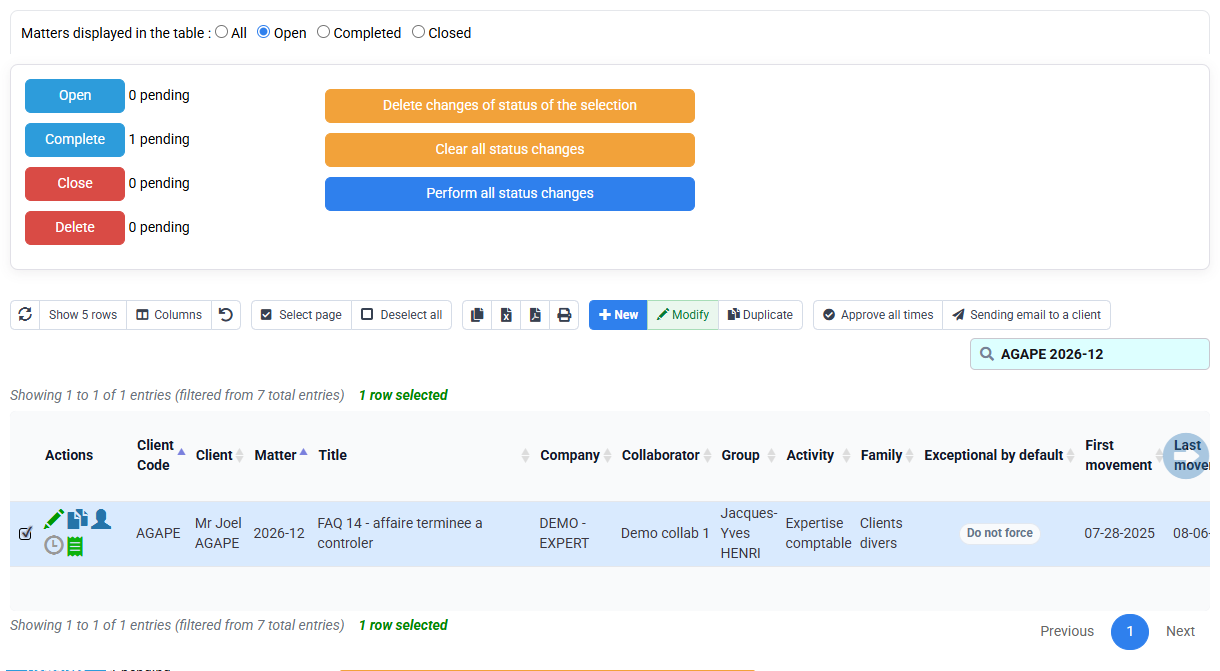
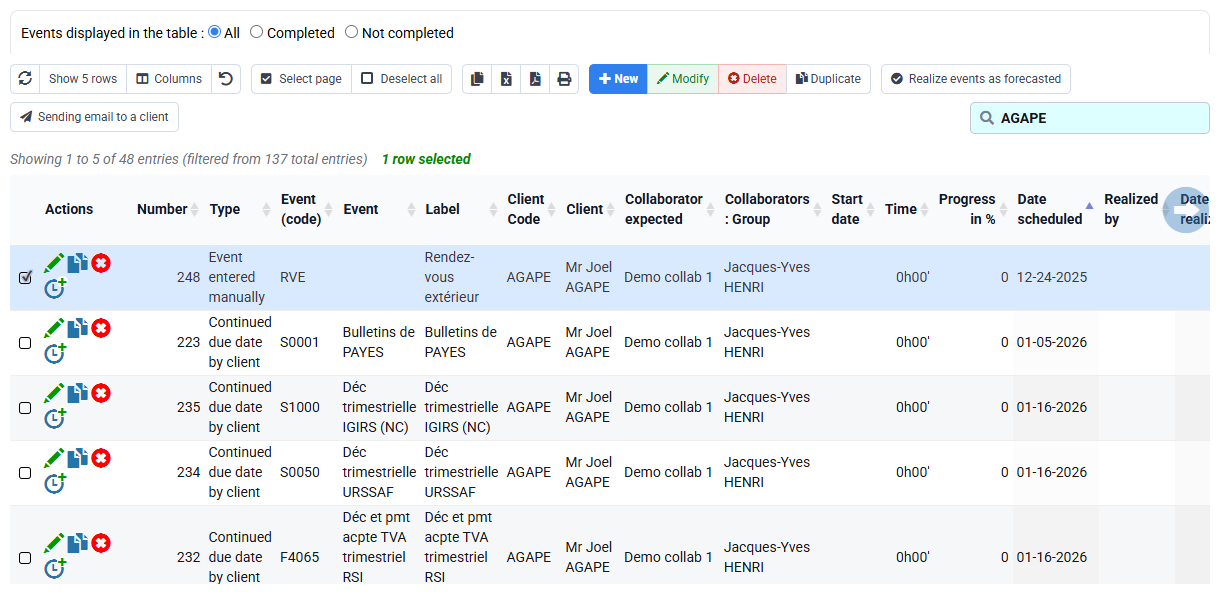
The sheet records the open matter and five uncompleted events exactly as observed. An Ended recommendation remains blocked until all five have authorised treatments.
2Check operational and financial dependencies
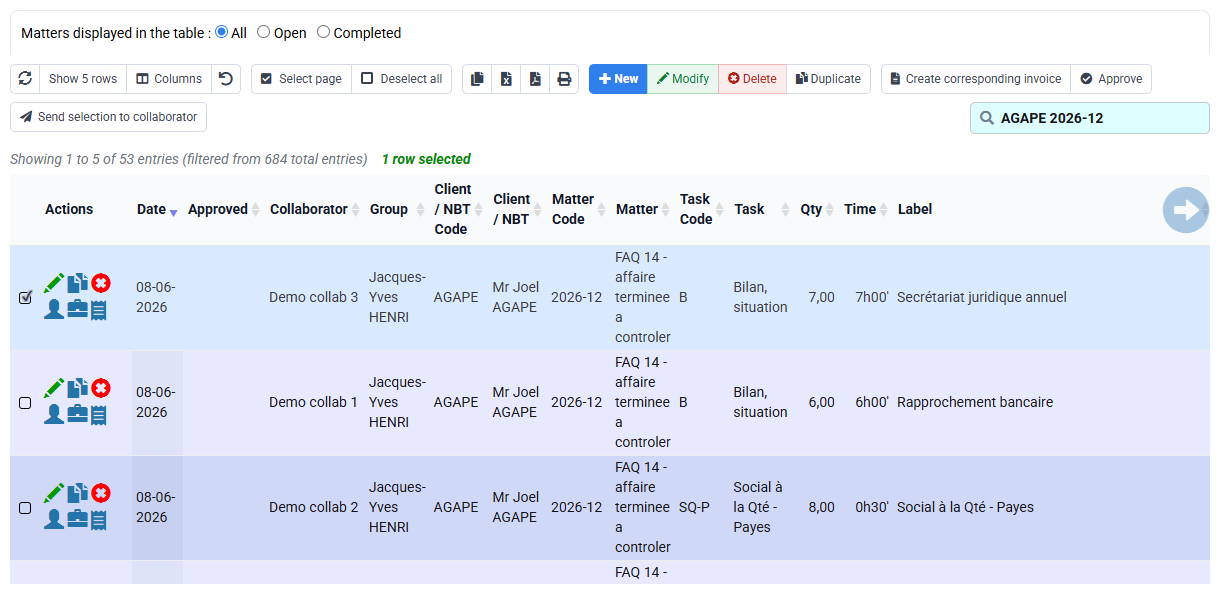
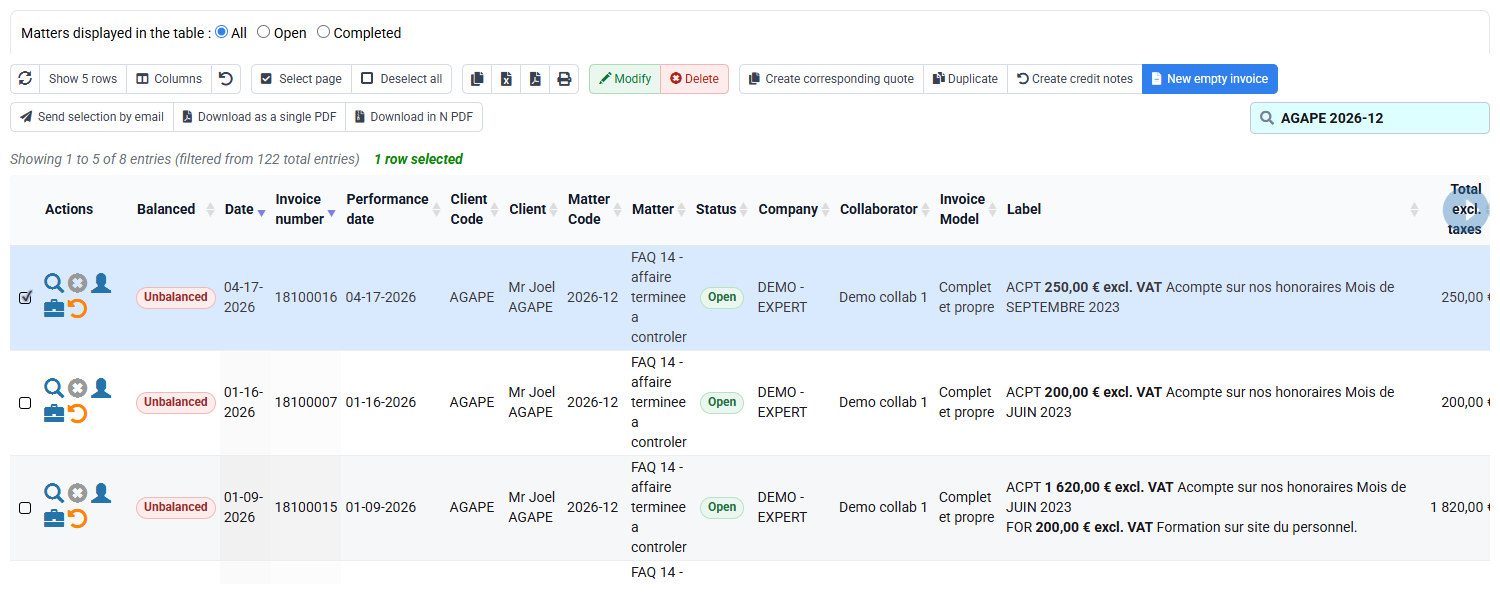
Path: customer and matter lists, billing budgets, time detail, expense detail, invoices awaiting validation, issued invoices, payments and reports.
Apply your selected matter consistently. For each dependency type record the explicit filters and latest relevant date. Future budget lines need confirmation or cancellation through budget governance. Unapproved time needs correction or approval. A draft needs its normal cancellation or validation decision. Issued and paid invoices remain retained and must never be removed to close the matter.
A list showing no rows proves nothing when the company, date range, active-only filter or access rights are unknown. Mark the control “not demonstrated” rather than “none” until those prerequisites are verified.
3Prepare customer and employee departures
Path: Clients > Clients, Employees > Employees and the reassignment form.
A customer departure date is entered only after all matters, future budgets and movements are reviewed. It removes the customer from current selections while retaining history. Deletion is reserved for erroneous unused records according to authorised rules.
Before an employee departure date, reassign customers, matters, events, deadlines and future budgets. Check planned or actual time after departure and system access. The employee remains the historical author of existing work.
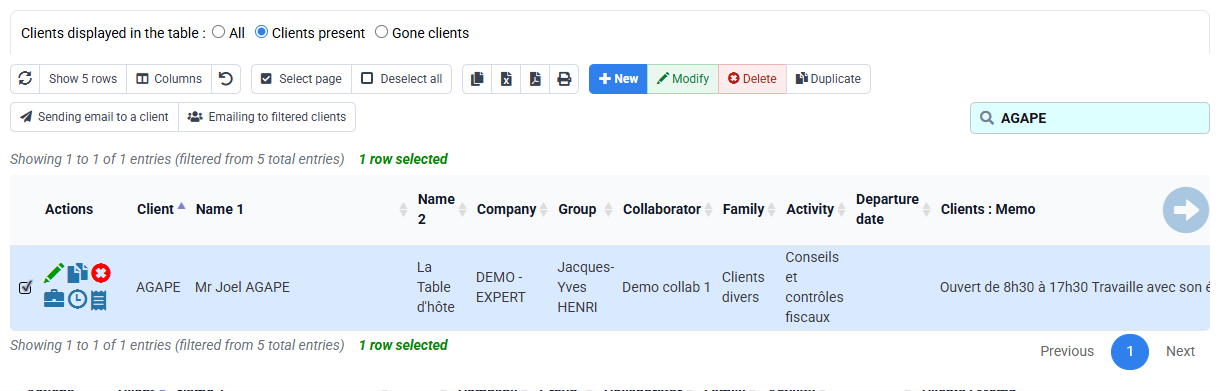
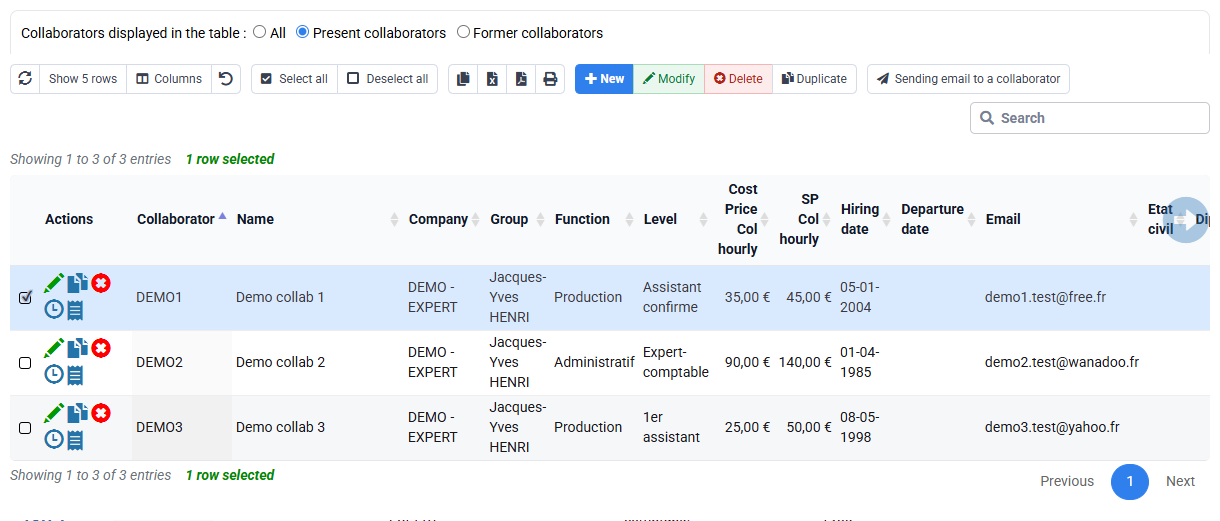

The proposed reassignment has no future responsibility without an owner and preserves the departing employee’s historic work.
4Deactivate used reference codes with NPU
Path: Configuration > Sales codes and Expense codes.
For your selected sales code and your selected expense code, or equivalent used test codes, identify existing references and a tested replacement. Marking a code NPU—No longer use—prevents new selection while keeping it readable on historic time, expenses, budgets and invoices. Never recode issued invoices silently for visual uniformity.
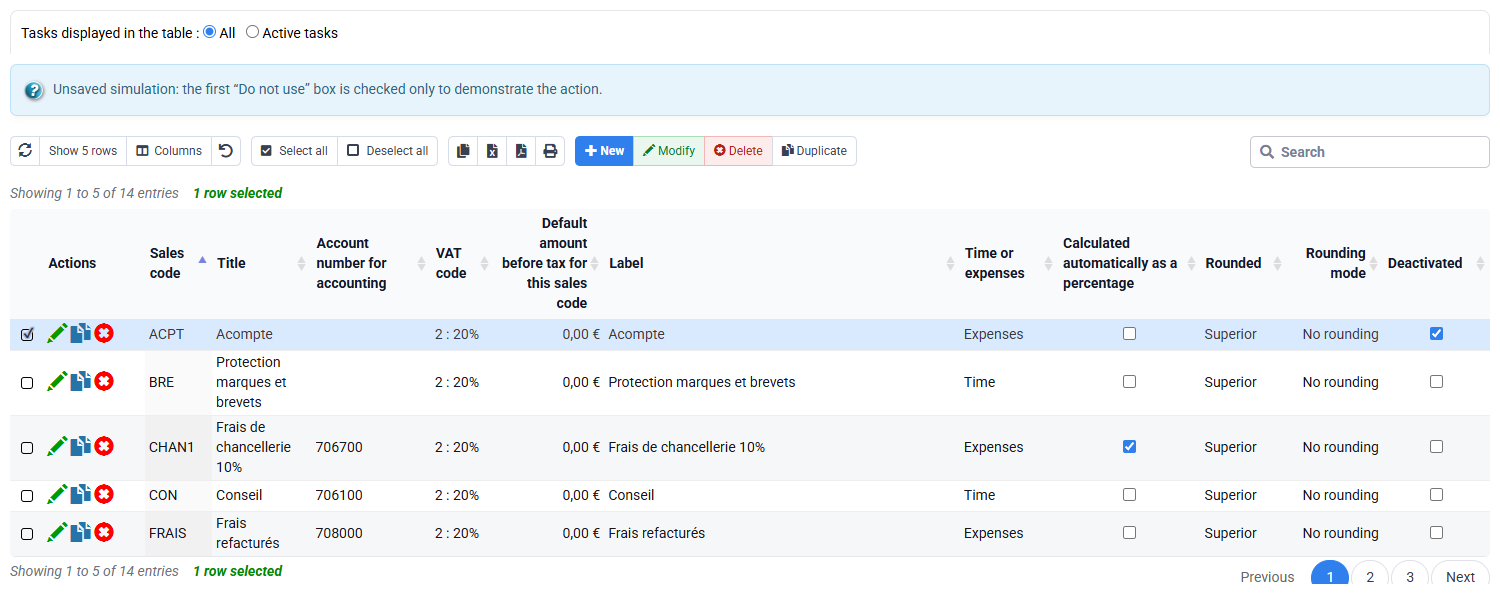
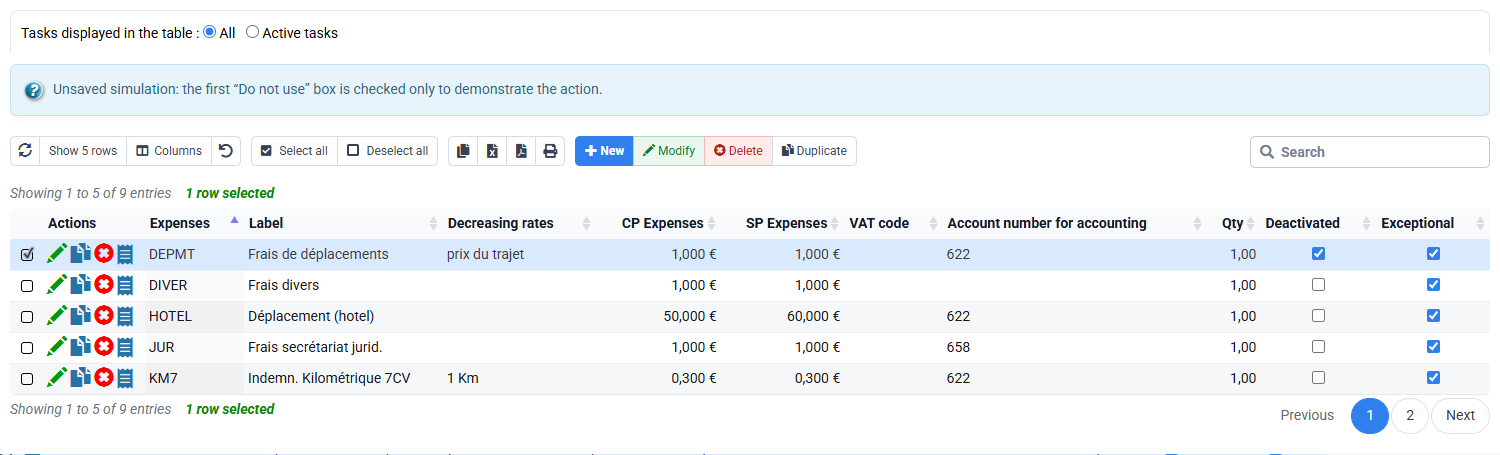
The decision sheet identifies replacement, cutover date and affected users; no historic line or fiscal document is rewritten.
Separate history, backup and NF525 tax archive
Action history explains who performed a significant operation. A technical backup provides a restore point, but restoration replaces a set of data and is itself sensitive. An NF525 tax archive, when the module is active, serves a different retention and evidence purpose with its own manifest, hashes, signature and journal. None substitutes for a documented business decision.
Issued invoices are locked and significant events are recorded according to the active implementation. A correction follows a traceable corrective-document flow. Consult tax screens in read-only mode; generating an archive or purging data is outside this training.

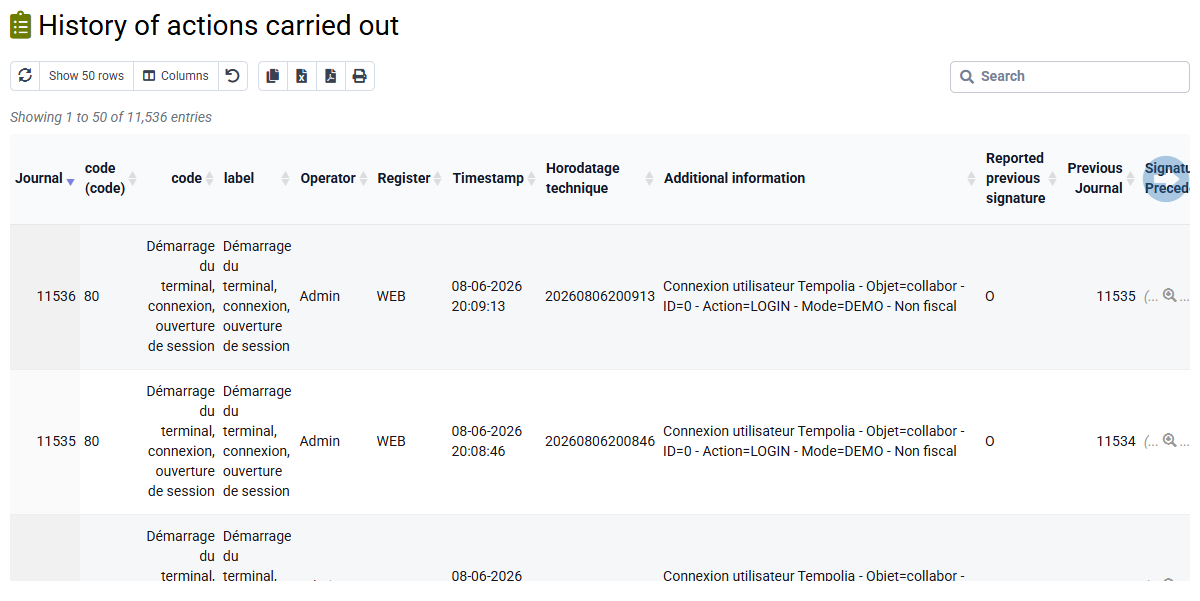


Hands-on decision file
- Record observed facts. Note your selected matter as open and its five uncompleted events at 0%, with filter scope.
Facts and inferences are clearly separated.
- Inventory every dependency. Search events, budgets, actuals, drafts, issued documents and payments.
Every empty screen is qualified by company, date, filters and rights before “none” is concluded.
- Prepare non-destructive actions. Assign an owner and treatment to each outstanding item and simulate Ended.
The matter would leave active selection while history remains accessible.
- Prepare reassignment and NPU. Identify replacements without saving changes.
Future ownership and reference-code cutover are complete, with no historic recoding.
Validation conditions for the 1 h 20 workshop
- Each of the five uncompleted your selected matter events has a documented owner and decision; while they remain at 0%, the matter cannot be recommended as Ended.
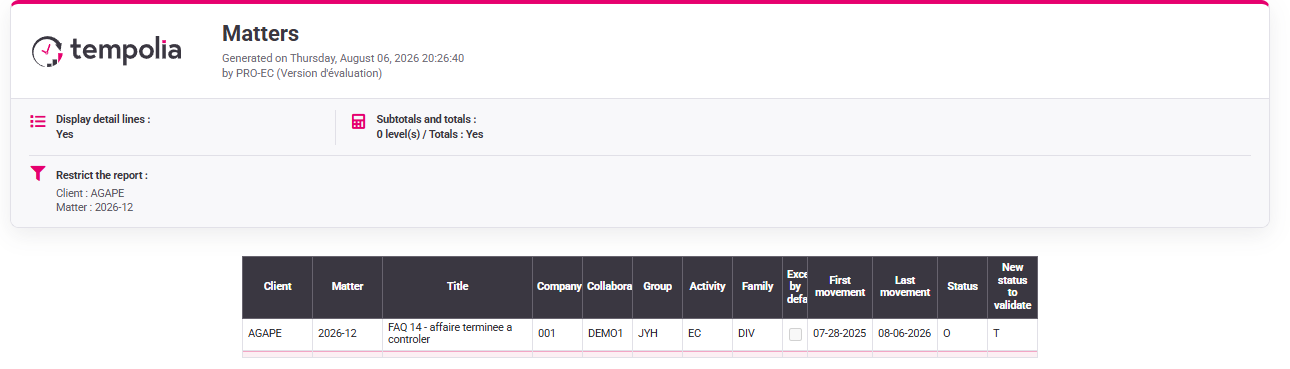
- The live your selected matter report confirms state O, proposed state T and movement boundaries and is retained as a control result.
- Reassignment, departure and NPU simulations identify object, old and new owner or replacement code, effective date and scope, without saving.
- Invoices and histories remain retained; PROD NF525 screens in non-tax illustrated mode are never presented as production tax evidence.
The current conclusion is “decision deferred: uncompleted events to resolve”. Recommend Ended only after new complete, reviewed and authorised evidence.
Errors to avoid
- Using destructive Close merely to clean a list.
- Treating the five uncompleted events as if they proved completion.
- Deleting a referenced customer, employee or code.
- Confusing backup, action history and tax archive.
- Purging without authorised procedure and covering archive.
- Changing tax-relevant history silently.
Step back
End-of-life management is a decision about future use and retention, not housekeeping. The right state reduces operational noise while preserving the ability to explain the past. The least destructive action that meets the business need is usually the most reliable.
- End or date a departure for ordinary operational retirement.
- NPU to prevent future selection while preserving references.
- Delete, purge or restore only through authorised procedures because they change evidence.
- Tax archive for its distinct fiscal purpose, not as a synonym for business ending.
You can inventory your selected matter while treating its five uncompleted events as blocking dependencies, recommend the least destructive action, prove future ownership and name the evidence that must remain before any sensitive operation.
Record the checks performed
The publishable conclusion from your subscription is deliberately limited: your selected matter is open and one deadline is completed. All other dependency states must be reported as observed, absent under documented filters, or not demonstrated. This disciplined wording prevents the learner from converting one reassuring result into an unsupported closure decision and makes the decision file suitable for review by another administrator.