


Correct a draft invoice or resolve a billing block
Objective. Diagnose and correct a draft invoice or billing block at the appropriate source while preserving the audit trail and using a credit note when an issued document must be corrected.
What you will learn
- Identify whether the problem concerns source data, the draft, invoice settings or an external rejection.
- Know which elements remain editable before validation.
- Choose the correct traceable response once an invoice has been issued.
Recommended workflow
- Record the exact message, document status, client, matter and preparation method.
- Check source records, sales codes, VAT, customer identifiers, invoice template and period locks.
- Correct the source or draft, regenerate the document and repeat the control that originally failed.
- For an issued invoice, use the appropriate credit note and replacement-document workflow instead of deleting or overwriting it.
Before continuing
- The correction addresses the root cause and not only the visible symptom.
- The original issued document and every corrective document remain traceable.
- The corrected invoice passes the same business, tax and transmission checks as a new invoice.
Before you begin
Choose a draft awaiting validation in your subscription with a documented difference between its prepared amount and the commercial source. Establish document state, prove the source, correct it only if authorised and review the regenerated draft without issuing. For example, an €850 line against a signed €900 budget requires tracing the €50 difference to its source.
Prerequisites
- Have a draft awaiting validation, its source, sales code and one-character VAT code in your subscription. If you cannot correct it, perform a read-only diagnosis; never modify an issued invoice.
- Record draft identifier, period, initial amount and consulted source before acting.
- For the post-issue branch, observe a historical invoice without changing it.
- Keep the draft identifier, state, period, observed amount, expected amount and source identifier together. These six values must remain unchanged throughout diagnosis.
Suggested schedule — 55 min
- 5 min: describe the anomaly without proposing a fix.
- 10 min: establish state and authorised actions.
- 10 min: trace line to client, code, actual record or budget.
- 10 min: correct the authorised source and regenerate the selected draft.
- 5 min: choose the route if already issued or rejected.
- 10 min: perform the workshop and preserve before/after evidence.
- 5 min: step back on traceability and responsibility.
1. Freeze the facts and classify the document
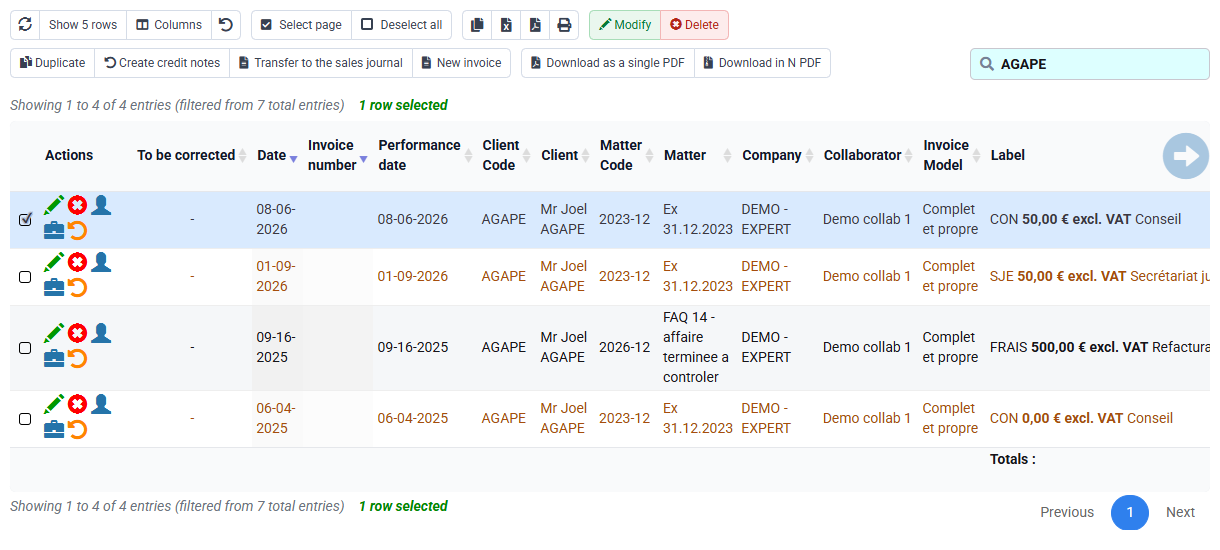
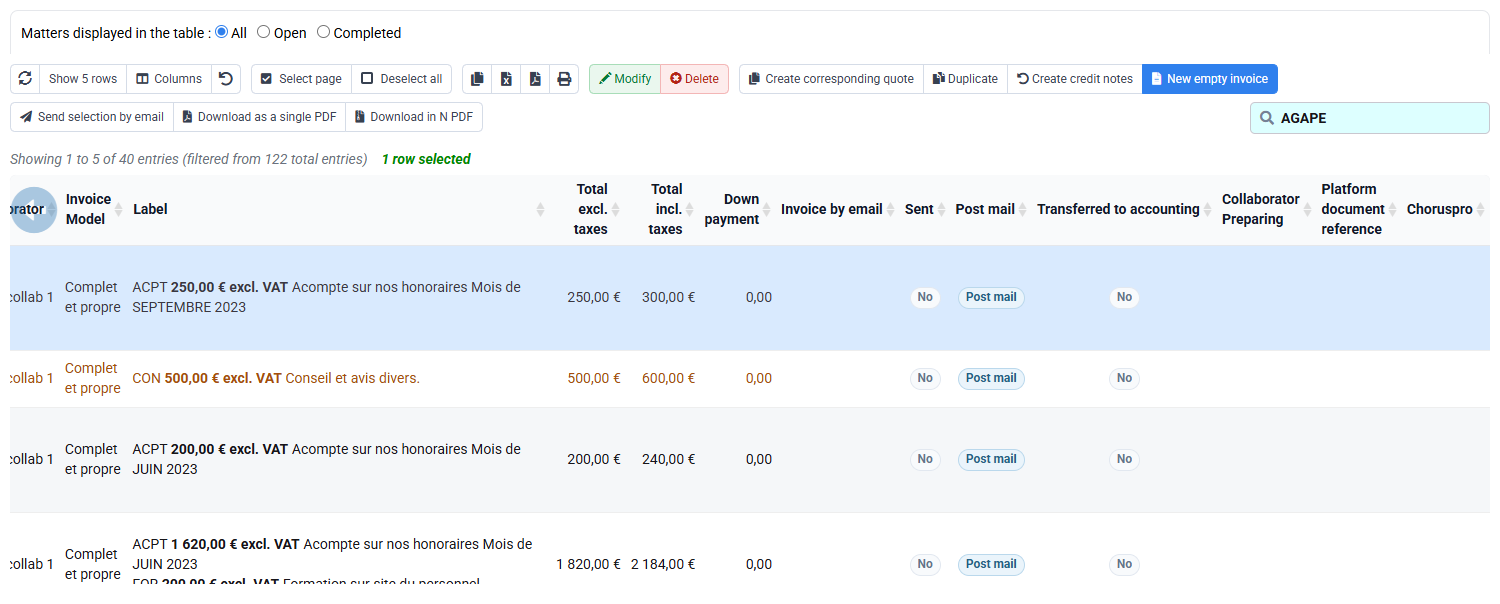
Open Invoices awaiting validation and the sales journal. Determine whether the document is prepared, awaiting validation, issued, sent, transmitted, rejected, exported or paid. Record exact message, identifier, company, client, matter, period, amount and preparation method.
An editable draft and an issued invoice do not permit the same action. Before issue, source or draft can be corrected and regenerated. After issue, preserve the original and use the authorised credit-note or corrective-document flow. Never use deletion to make an issued discrepancy disappear.
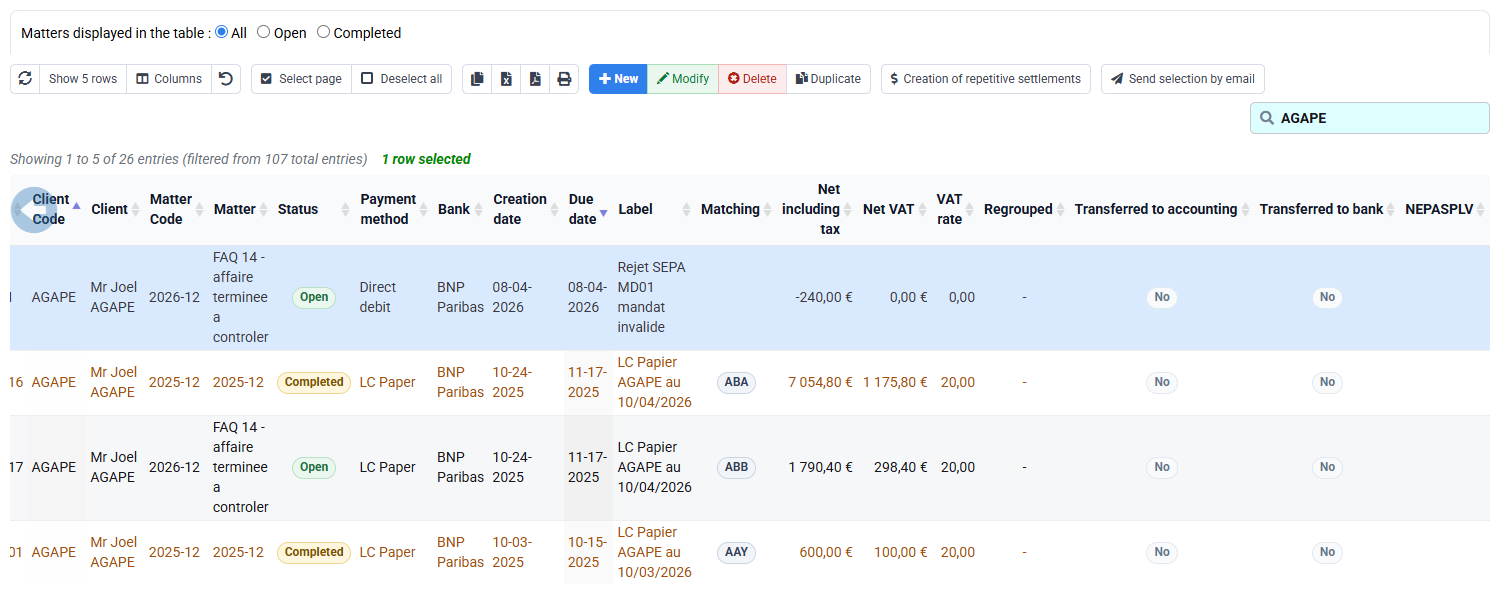
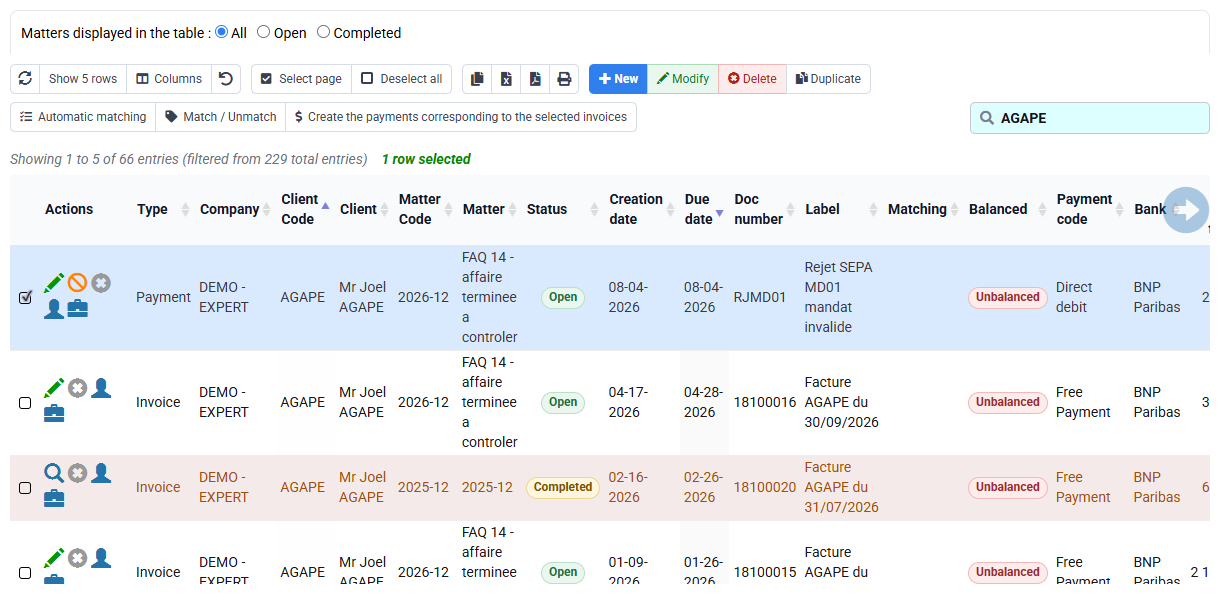
The two screenshots are different lists containing different historical records, not before/after states of one invoice. Search the same identifier in both places: only this identity check establishes whether your draft is still editable or has entered the sales journal.
2. Trace the symptom to its controlled source
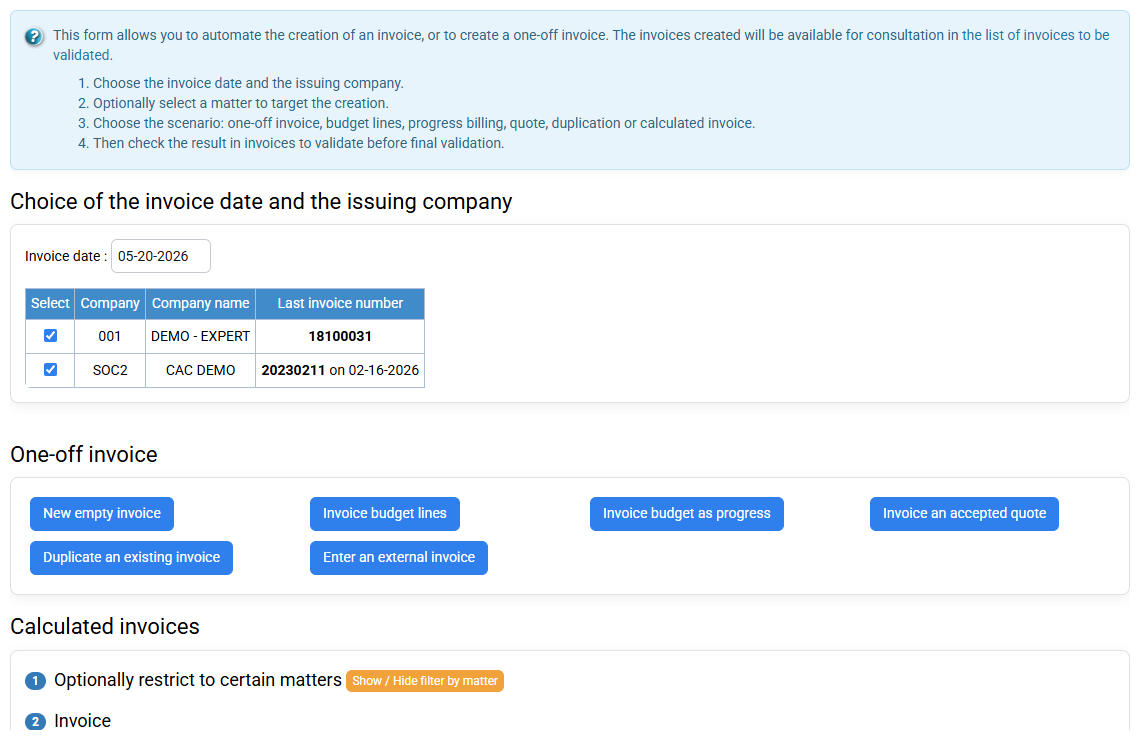
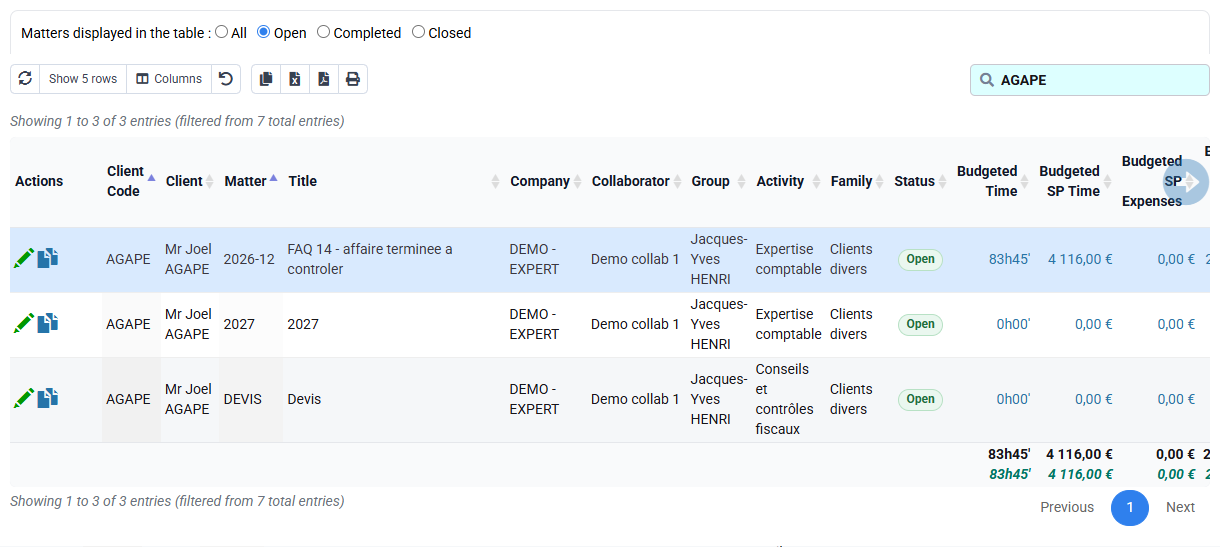
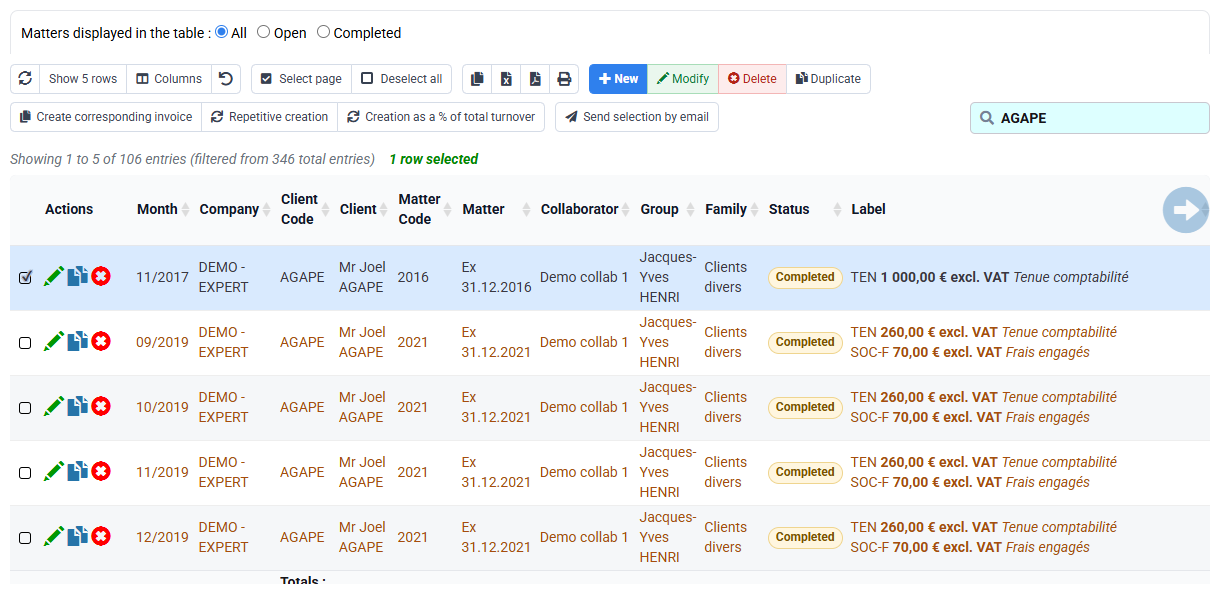
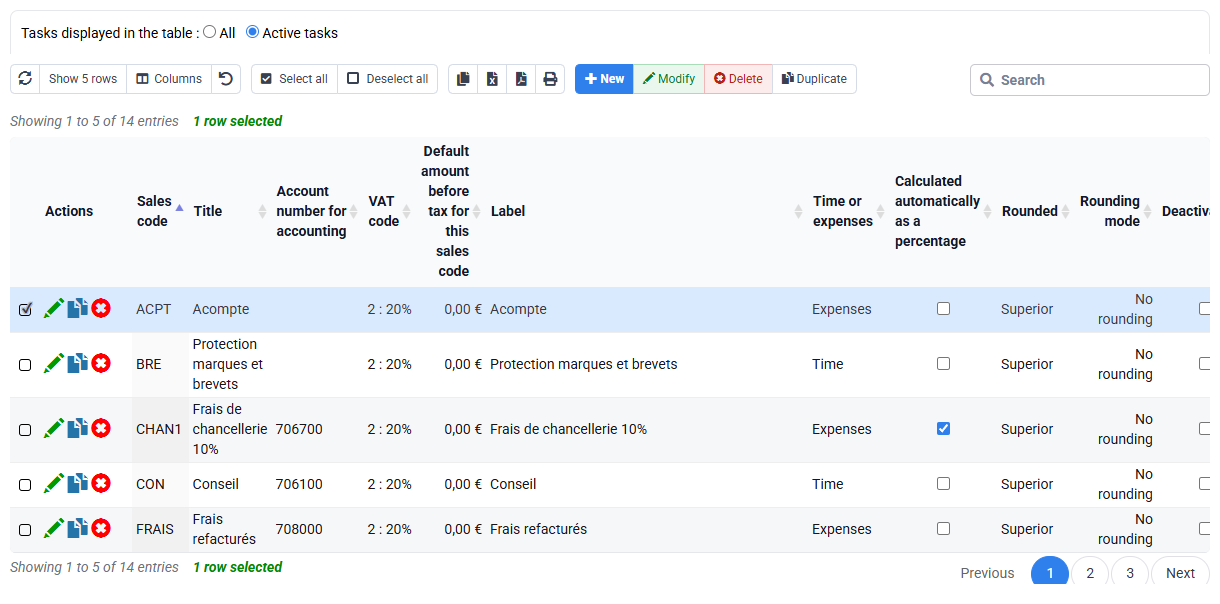
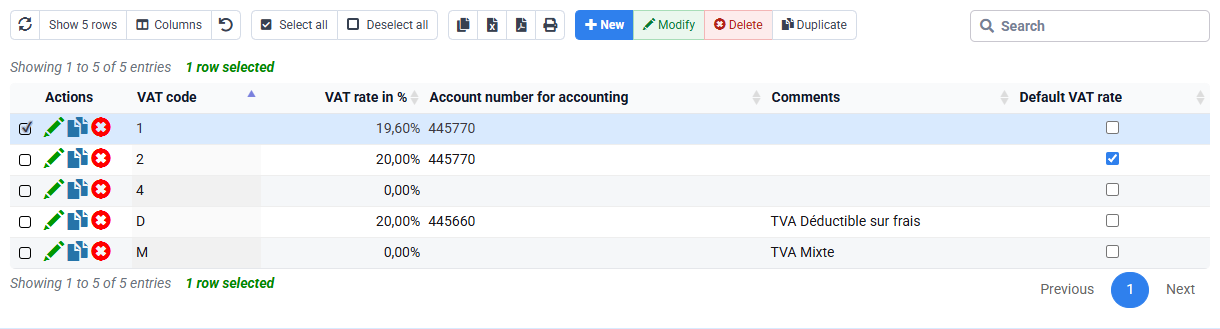
Start from the observed line in your selected draft; €850 is only the illustrated example. Identify whether it came from billing budget, time, expense, quantity, subscription or manual entry. Open the source and compare €900 signed budget, period, client and matter. Then inspect HONO, VAT code 2 and template only if the discrepancy concerns wording, tax or presentation.
Use a cause tree: identity comes from company/client; operational scope from matter; amount from source/budget/rate; VAT/account from sales code and tax; appearance from template; eligibility from states and period. Change the narrowest legitimate source. Do not modify several values at once, because the successful correction would become impossible to attribute.
3. Correct and repeat the same failed control
If authorised, correct the selected source from its observed amount to the documented amount only after confirming the signed commercial basis. Regenerate the draft on the same company, client, matter, period and method. Compare before and after identifiers, line amount, VAT and total. The expected result is €900 once, with no new duplicate and no unrelated source.
Repeat the exact control that found the problem. If only the total is reread, a secondary error may remain. Review line source, HONO, VAT code 2, client terms and PDF. Preserve concise evidence: initial symptom, diagnosed cause, changed field, user/date and successful retest.
4. Diagnose reference, client and presentation blocks
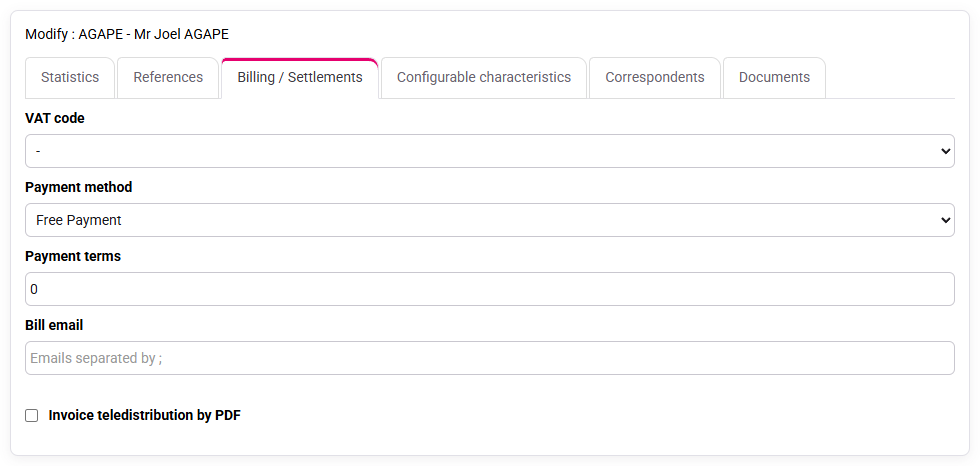
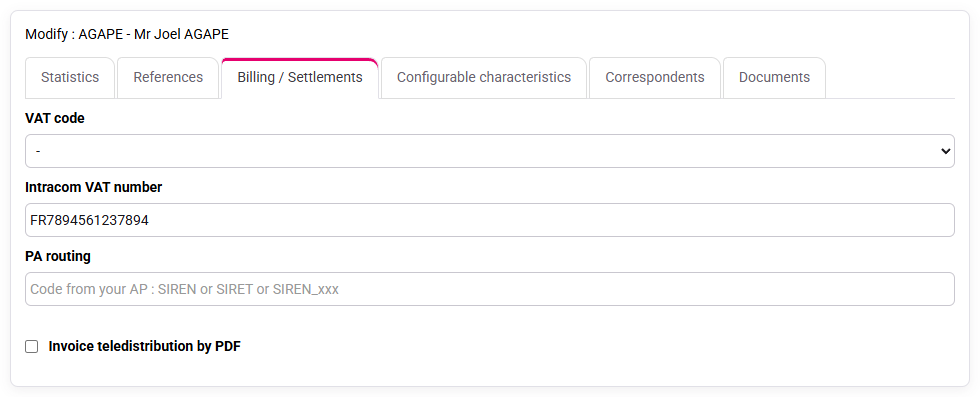
A missing sales code, incompatible VAT, client identifier, billing address, invoice model or locked period can block preparation or validation. Read the exact message and check the corresponding source. Do not bypass a control by selecting an unrelated code.
For electronic invoicing, check client PA/eReporting data and issuing-company identifiers. A history with no transmission rows is not evidence of success; it may mean nothing was sent. Use it as a diagnostic prerequisite. Correct missing source data, regenerate and rerun business and technical checks.
5. Choose the traceable route after issue
If the invoice were already issued, first assess whether the error affects identity, amount, VAT, payment or only non-fiscal presentation. Do not edit the issued record. Prepare the appropriate credit note, then a corrected invoice when required, linking references and reasons so the customer account remains understandable.
Check payments and customer movements before correction. An invoice can be partially paid or exported; the corrective chain must preserve balance and accounting consequences. Record who authorised the correction and why. Afterward reconcile original, credit note, replacement, payments and exports.
In Payments, check client, matter, method, dates, amount and rejection wording, then open the detail or customer movements to verify the matched invoice number.
6. Handle external rejection as a new controlled state
A PA/eReporting or accounting rejection does not erase issuance. Capture exact status, timestamp, platform message and affected document. Classify whether the cause is missing master data, invalid structured content, transmission configuration or temporary external condition.
Correct only what the rejection requires, preserve the failed attempt and resubmit through the supported action. Verify the new status rather than assuming success from clicking. Empty history, generic dashboard or absence of an error is not positive proof; a real transmission row and accepted state are required.
Hands-on correction record
- 1. Record state, symptom, €850 amount and expected €900 without editing.The record contains the same draft identifier, company, matter, period, €850 observed amount and signed €900 expectation, so another reviewer can reproduce the discrepancy without oral context.If not, align company, draft identifier, period and source.
- 2. Trace the line to budget and rule out client/code/VAT causes.The €850 value is traced to one identified budget line, while client, HONO and VAT checks are recorded separately and do not explain the amount variance.If not, continue diagnosis; do not change multiple sources.
- 3. Correct the authorised source, regenerate and repeat line, tax and PDF controls.The regenerated draft contains one €900 net HONO line, €1,080 gross with VAT code 2, the same client, matter and period, and no residual €850 or duplicate line.If not, compare source selection, duplicates and effective dates.
- 4. Describe the route if issued, paid, exported or rejected.The proposed route names the original invoice, credit note or resubmission, customer-balance effect and expected accepted status, without deleting or overwriting any prior event.If not, stop and obtain accounting/fiscal authorisation.
Dangerous shortcuts
- Correcting before classifying document state.
- Editing several sources at once.
- Deleting or overwriting an issued invoice.
- Bypassing a block with an unrelated sales or VAT code.
- Ignoring payment or export before a credit note.
- Treating an empty transmission history as success.
Step back
Correction freedom decreases along the cycle: source and draft are flexible; issue creates a fiscal and customer-account fact; payment, export and transmission add dependencies. The later the state, the more formal and traceable the response.
Use the correction route on another anomaly
Choose a second billing anomaly and identify the document state before deciding what can still be changed.
- 1. Before opening Tempolia, write down document number, state, source, amount before correction, amount after correction and the trace that must remain.
- 2. For a draft, correct the source and recalculate. For an issued invoice, use the authorised credit-note or replacement route. For an external rejection, correct the rejected data and resubmit through the approved process.
- 3. Ask a colleague to change one symptom, such as VAT, customer data or document state. Choose the route from the state, not from the easiest visible button.
- 4. Close every tab and repeat the route from your notes. Then give the notes to a colleague and let that person perform the same read-only check without oral help.