


Import sales codes and stabilise billing reference data
Objective. Build a controlled sales-code catalogue so that budgets, invoices, accounting exports and management reports consistently use the approved descriptions, VAT rules, accounts, types and prices.
Before you start: secure the import in your subscription
Confirm that you may view and import sales codes. With accounting, select an existing one-character VAT code, approve the accounts and decide what happens when a code already exists. Work on copies of the files and validate only after reviewing the preview; if you cannot import, complete the analysis and stop before confirmation.
Exercise files
Download the file to correct and keep the corrected version for the final check. The corrected file must ultimately create three codes: CONSE — title Conseil (consulting), VAT code 2, type T (time), account 706100, EUR 125.00; SOCIA — title Production sociale (social-production service), VAT code 2, type T (time), account 706200, EUR 25.00; and FRAIS — title Frais refacturables (rechargeable expenses), VAT code 2, type F (expense), account 708500, EUR 0.00. The first version deliberately contains a duplicate CONSE, an unknown VAT code Z and type X instead of the permitted one-character CSV codes T or F. Success means rejecting the faulty version, correcting the source and proving the three resulting codes through a draft invoice and accounting control.
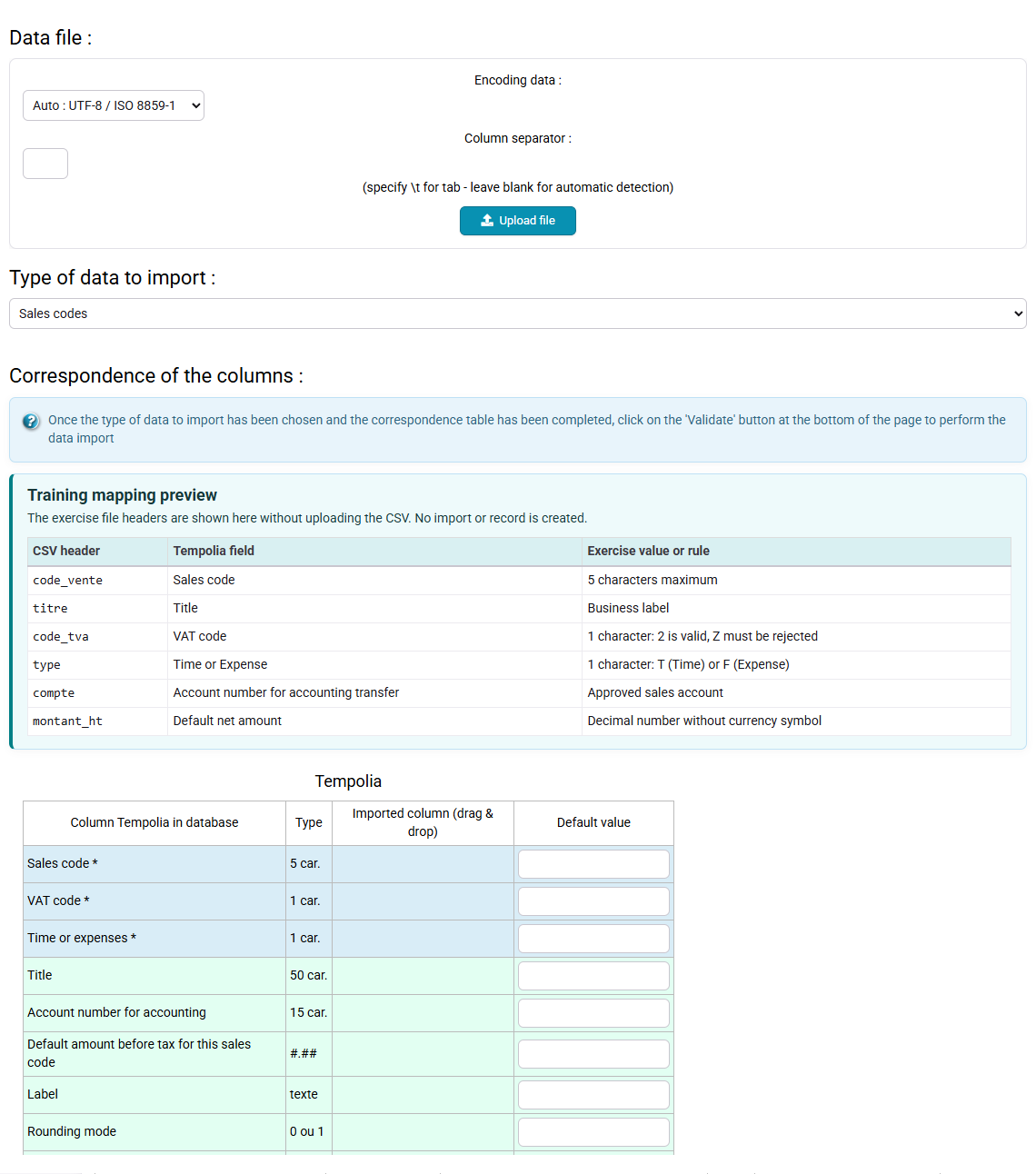
| CSV column | Tempolia field | Check |
|---|---|---|
| code_vente | Sales code | Unique and not empty |
| titre | Title | Expected business label |
| code_tva | VAT code | One character; code 2 exists and Z must be rejected |
| type | Time/expense type | One character: T for time or F for expense |
| compte | Account | Approved account |
| montant_ht | Net amount | Decimal number |
Prerequisites
- VAT code 2 and accounts 706100, 706200 and 708500 have been approved by accounting; this course does not invent the accounting specification.
- The separator, UTF-8 encoding, decimal convention and single header row of the CSV are known.
- The target codes do not already exist, or an explicit update rule has been agreed. Export or record the starting catalogue.
- Use your subscription only with authorisation to modify the catalogue and a recovery procedure. Never import the deliberately faulty file and never delete codes already used by historical records.
55-minute schedule
- 8 min: review the current catalogue and column constraints.
- 12 min: load the CSV and build field mapping.
- 12 min: detect and explain the three deliberate anomalies.
- 10 min: correct the source and perform the controlled import.
- 8 min: test CONSE in a draft invoice and accounting export.
- 5 min: document the evidence and future update rule.
Observable checkpoints
- The mapping supplies Sales code, VAT code, the time/expense type, Title, Account and Net amount; the source uses the one-character values T or F.
- The first file is not accepted while duplicate CONSE, VAT code Z or type X remains.
- After correction, CONSE, SOCIA and FRAIS each appear once with the exact expected values.
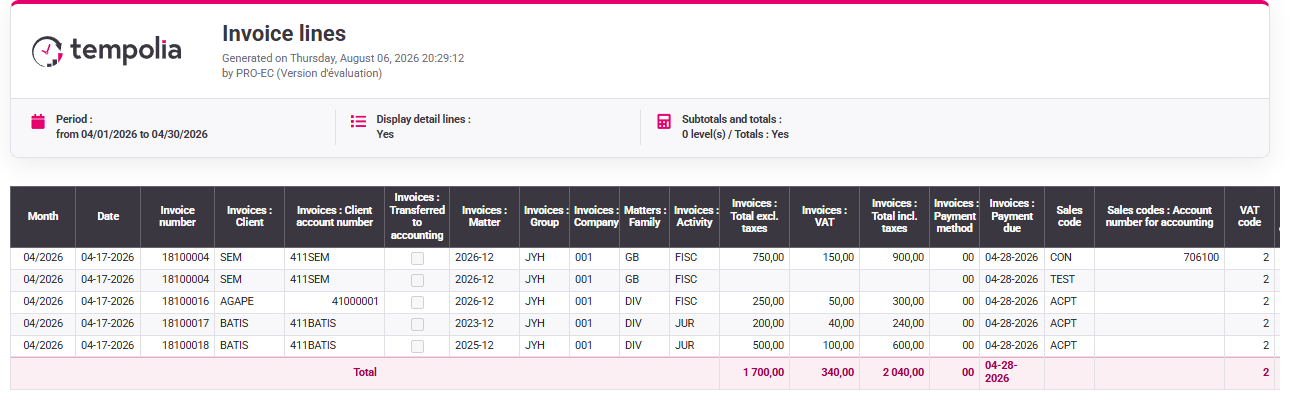
- A EUR 125.00 net CONSE draft uses VAT code 2, the title Conseil (consulting) and account 706100 in the export preview.
Understand why a sales code is shared reference data
A sales code is more than a convenient invoice label. It connects the commercial service to the VAT rule, revenue account, default wording, possible unit price, analysis axis and invoice model. Tasks and expenses can point to it, budgets anticipate it, prepared invoices consume it and accounting exports translate it. One ambiguous code therefore spreads ambiguity through the whole chain.
Stable reference data follows three principles. The code is a durable key rather than a temporary description. Its meaning remains narrow enough for users to choose it consistently. Changes are governed: a typo can be corrected, but an accounting or VAT change must be assessed for future and historical use. A code already referenced should normally be made unavailable for new use rather than deleted.
An import accelerates entry; it does not transfer responsibility to the CSV. Mapping answers which source column fills which Tempolia field. Validation answers whether values are allowed and coherent. Functional testing answers whether the code behaves correctly in a real draft. All three are required.
What you will be able to do
- Inventory existing sales, task and expense codes before deciding to create or update anything.
- Prepare an import file with unique keys, controlled encoding and explicit mandatory values.
- Map fields without confusing a source label, a Tempolia code, an account and a VAT identifier.
- Stop an import on duplicates, unknown reference values or any type code other than T or F.
- Connect the imported code to tasks, quantities, expenses, VAT and invoice models.
- Test the result in a budget, a draft invoice and an accounting-export preview without issuing a document.
- Preserve historical meaning by marking obsolete codes as no longer used instead of deleting them.
1. Inventory the source and target catalogues
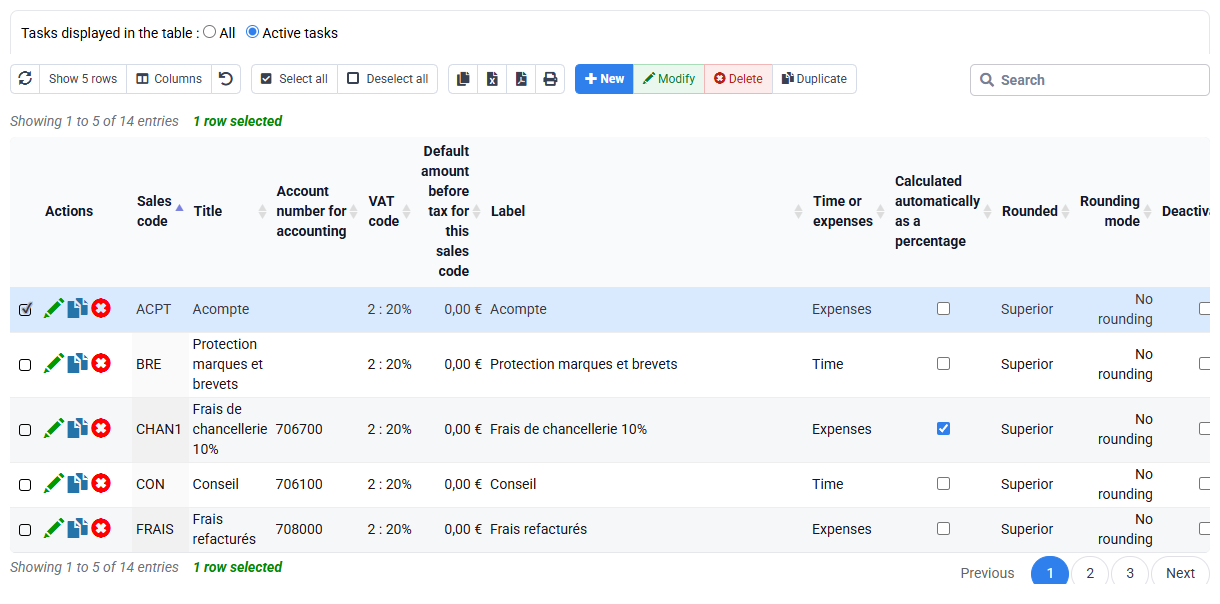
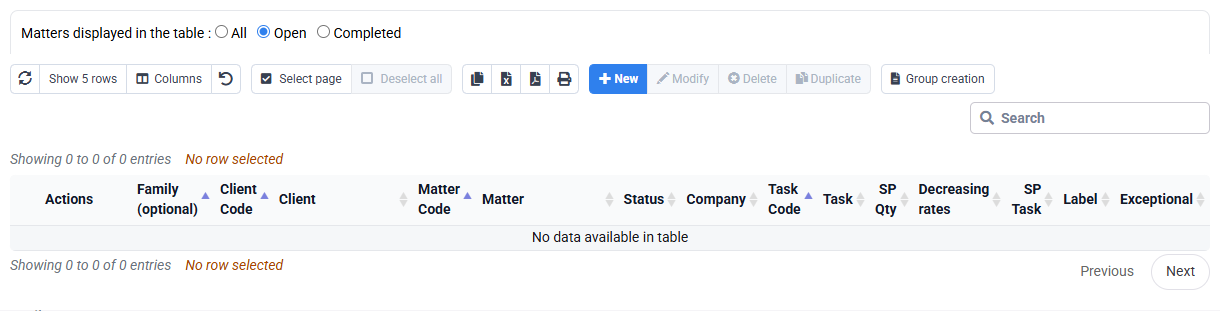
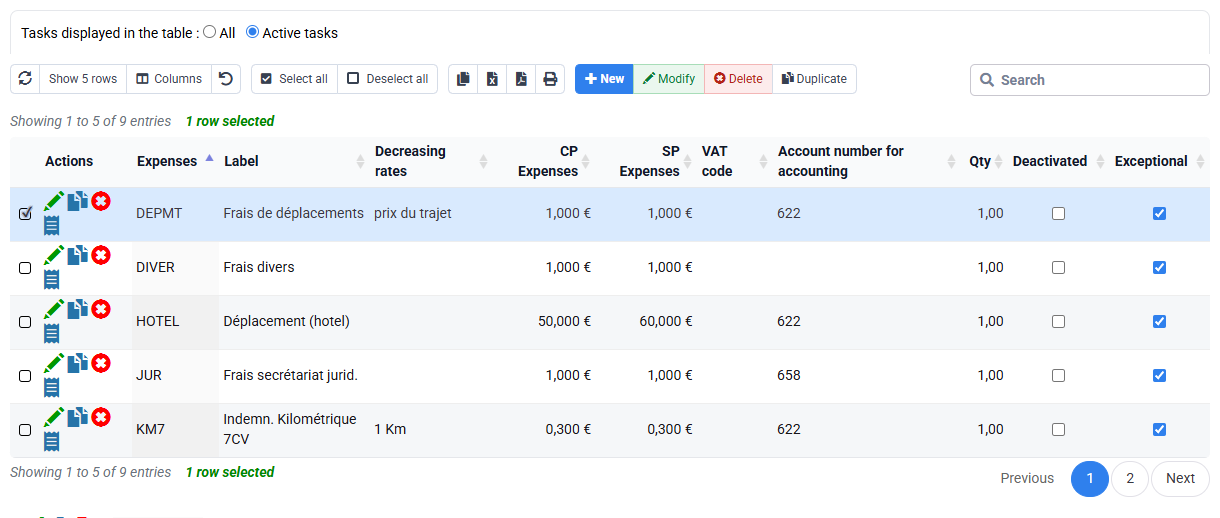
Path: Configuration > Sales codes, VAT codes, billable tasks and expense codes.
Filter the existing catalogue and search for CONSE, SOCIA and FRAIS, including variants in case and trailing spaces. Record code, title, VAT, account, type, price and active status. If an equivalent code already exists, decide whether the CSV must update it, use it or be rejected. Similar wording is not enough to establish equivalence.
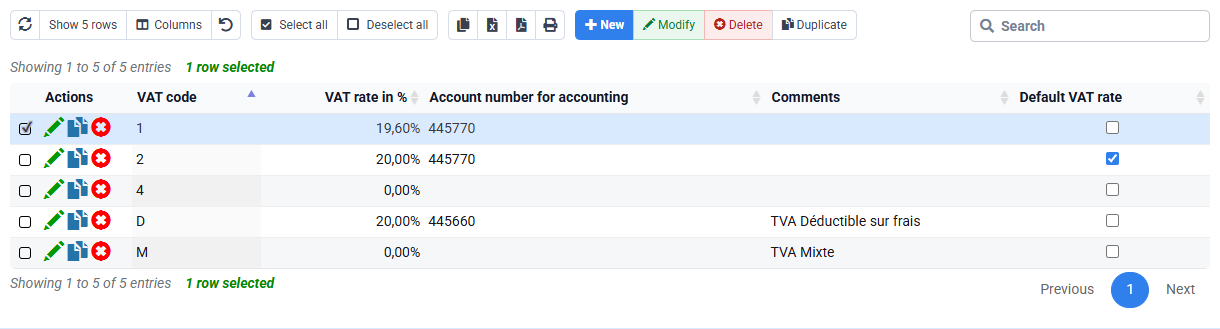
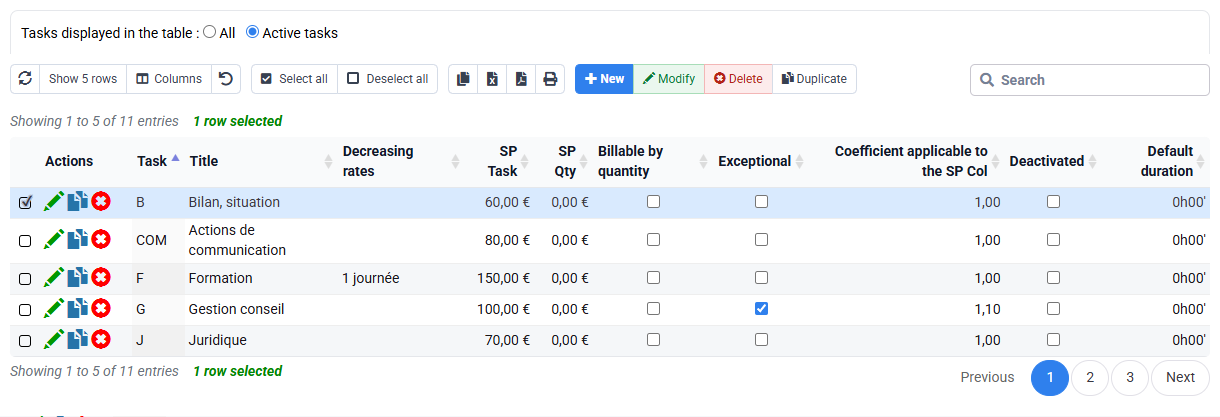
Review VAT code 2 and the three accounts against the approved specification. The VAT code is not the displayed percentage alone: it may govern accounting and reporting treatment. Then distinguish source code T (time) from F (expense), and both from any non-billable task. A task describes work performed; a sales code describes what is sold; an expense code describes a cost. Their links must be intentional.
2. Load the faulty file and build an explicit mapping
Path: Tools > Import.
Keep the original file unchanged and work on a copy. Confirm UTF-8, separator, header and decimal format before mapping. Associate each source column deliberately with Sales code, Title, VAT code, the time/expense type, Account and Net amount. In the source type column, enter the one-character code T for time or F for expense. The displayed labels may be translated, but the CSV codes must not be. Do not map two source columns to the same target and do not use a convenient text column to fill a key.
Preview the lines. Identify the duplicate CONSE even if case or invisible spaces differ. Check VAT code Z against the real VAT catalogue, and reject X because it is neither T nor F. Record the row number, source value, rule violated and correction required. The goal is not to make the import button succeed; it is to prove that invalid reference data cannot enter silently.
3. Correct the source, import once and verify every value
Remove the duplicate, replace VAT code Z with the approved VAT code 2 where the business rule supports it, and replace X with the exact one-character source code T or F, as appropriate. Reload the corrected copy using the same mapping. Before confirming, reconcile the row count: three source lines must lead to three unique target codes, no hidden update and no rejected line.
After import, filter each code and compare all fields with the case. CONSE must contain title Conseil (consulting), type T (time), VAT code 2, account 706100 and EUR 125.00. SOCIA must contain title Production sociale (social-production service), type T (time), VAT code 2, account 706200 and EUR 25.00. FRAIS must contain title Frais refacturables (rechargeable expenses), type F (expense), VAT code 2, account 708500 and EUR 0.00. A zero default price for FRAIS does not mean it is free; it means the actual amount comes from the expense or billing context.
4. Prove downstream behaviour without issuing an invoice
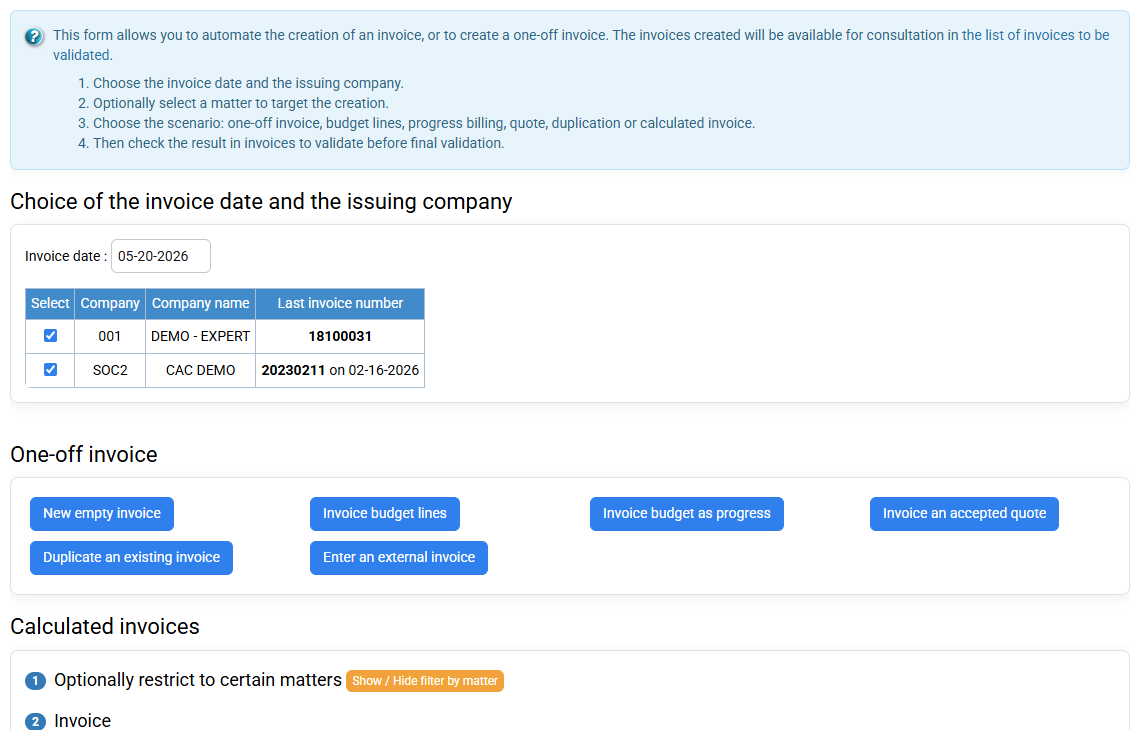
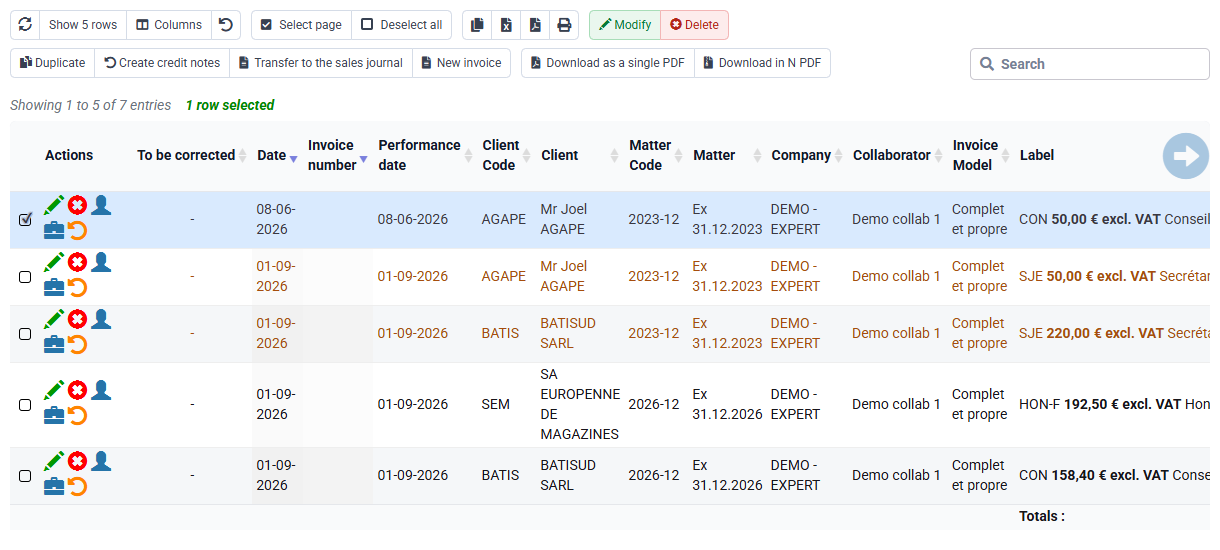
Attach CONSE to an appropriate billable task or use it directly in the prepared-invoice test according to the local configuration. Prepare one EUR 125.00 net CONSE line for the customer selected in your subscription. Verify the title, VAT code 2, EUR 25.00 VAT if the rate is 20%, EUR 150.00 gross total and invoice model presentation. Stop in the draft or invoices-to-validate area.
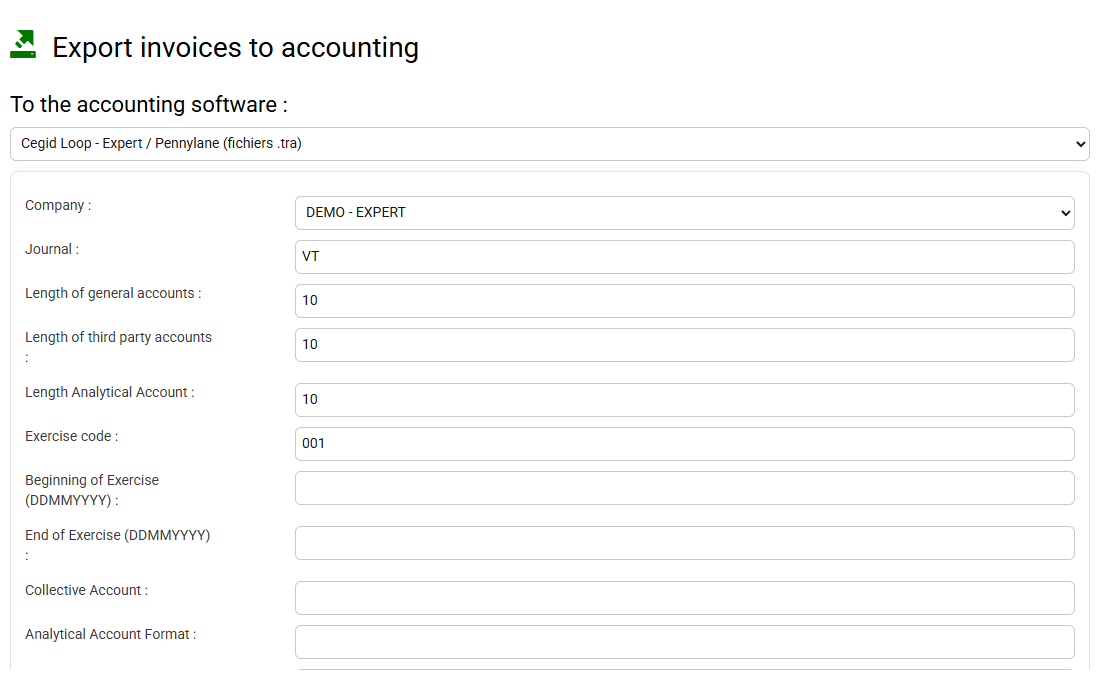
Open the accounting-export preview for the same draft or controlled test flow and verify account 706100. Also inspect the budget and report context so the code remains selectable and analytically meaningful. If the wrong account appears, correct the governed source and recreate the draft; never edit an export file to conceal a catalogue defect.
Guided practice: reject, correct, import and prove
- 1. Inventory the target and map the faulty CSV without writing data.
- 2. List duplicate CONSE, VAT code Z and type X, correct the source copy and import exactly three rows.
- 3. Compare every imported field and prepare a EUR 125.00 CONSE draft plus accounting preview.
At the end, check these points
- Three unique codes exist; no VAT code Z or type X line was created.
- CONSE produces EUR 125.00 net with the expected title and VAT code 2.
- Accounting control finds 706100 for CONSE, 706200 for SOCIA and 708500 for FRAIS.
Diagnosis
- Broken accented characters indicate an encoding problem: reload correctly instead of repairing labels manually.
- Empty mapped fields indicate separator, header or mapping problems.
- Two CONSE rows require a check of spaces, case and the business key in both source and target.
- An incorrect invoice account must be corrected in the test catalogue and retested from a new draft, never disguised in the output.
Common mistakes
- Creating a new code for every isolated wording variation.
- Changing VAT or account on a code already used without analysing historical and future effects.
- Using the Silae-specific flow for a generic sales-code CSV.
- Confusing a time task, an expense nature and a sales code.
- Deleting an old referenced code rather than marking it as no longer used.
Before you finish
Hand another administrator the original file, anomaly log, corrected file, before-and-after catalogue and draft evidence. That person must be able to explain why three lines were imported, why three faulty values were rejected and how CONSE reaches VAT code 2 and account 706100 without relying on oral memory.
Step back
Reference-data quality is measured downstream: a stable code makes a budget comparable, an invoice understandable, a tax rule defensible and an accounting export predictable. Automate format, uniqueness and permitted-value checks; keep decisions about meaning, tax, accounts and historical continuity under accountable human governance. A successful import is therefore not a number of accepted rows, but a documented chain from approved specification to tested business behaviour.